Is the university experience wasted on the young?

Every now and again, the universe conspires to free up some time to do some face to face learning with terrific resources in the academic world.  After a whirlwind set of face to face meetings with professors at UW Seattle and UW Bothell where I learned a boatload, I reflected on my university experience at age 18 versus today.

While I am deeply grateful for my four years as an undergraduate at Duke University, I mostly went through the motions of attending the required classes and getting through to a degree.  Most of my learning occurred in my part time jobs programming lab computers in a psycho-physiology lab and for an automated medical records research group.

I viewed the classes as the penalty I had to pay to be able to do the part time work with the lab computers.  I did the minimum to get by or as I shared with my children “when I was in college, I made the upper half possible.”

In the set of interactions with a diverse collection of professors today, I come at the meetings with a notebook full of questions as I try to make sense of the rapid rate of knowledge production changes in the university world.  How wonderful it is to see computational thinking and practice infuse almost every discipline.  How eye opening it is to see what is going on in the digital humanities and the shift from science as theory and simulation to science as making sense of Big Data. I walked away with a notebook full of references to chase down and even more good questions then I walked in with.

After forty years of creating companies and products, I am finally ready for a true liberal arts education.  Yet, not the kind of “dolt in a seat” education of my youth.  Every idea that comes streaming through from the professors is cross referenced against forty years of business experience and family living.  Each assertion raises deeper and deeper questions.

Alan Wood

I am having the time of my life exploring topics and digging deep into areas I never had the time for or frankly the least bit of interest – Chinese history for example (thank you Professor Alan Wood for opening up such an interesting and relevant topic).

This excitement in the immersion of learning made me wonder if we have the university experience backward – shouldn’t we come back at age 60 or so for what would be a real liberal arts and sciences education?  What if we looked at the university experience as interesting bookends on a life – start us off on the life long learning pursuit at age 18 and then make sense of our life experiences at age 60?

Most of us at age 60 are still lively and vibrant and have generous amounts of time with our children now grown and on their own and our financial responsibilities lessened. The time freedom could allow us to come back to truly educate ourselves so we can devote the remaining third of our life to working on the big problems of global society.  What would a classroom experience be like with a mix of young adults and the worldly wise – for the students and the professors?

Sue Kraemer

The 24 hours of learning immersion started with a couple of hours getting the story behind the story of how Sue Kraemer transitioned from a world class bioinformatics and genetics researcher to getting her MBA at Seattle University and now teaching a management course in the CSS Department at UW Bothell.  We both realized we have a shared passion for understanding how to create great teams working in “healthy” corporate or academic environments.

Gray Kochhar-Lindgren

Gray Kochhar-Lindgren

Then it was on to a meeting with Gray Kochhar-Lindgren to thank him for introducing me to Kate Hayles and to get his perspective on the digital humanities.  Gray is the Associate Vice Chancellor for Undergraduate Learning at UW Bothell. Gray has written several fascinating books that reflect his passion for “Philosophy in the Streets” that he teaches.  As I described my journey so far in learning about the digital humanities, Gray let loose with so many wonderful references that I couldn’t write fast enough.  I am learning that each 1 hour session with a good professor leads to at least 100 hours of reading and study for me.

Ed Lazowska

Next up was a meeting with Ed Lazowska to follow up threads that he introduced in his talk at a recent MLA conference in Seattle.  Ed was finishing up a conference call at our appointed time so I had several minutes to explore the artifacts in his office and see what kind of books he had on his shelf.  I was immediately drawn to a 2 foot by 3 foot poster board that had the “genealogy” of the professors who taught Ed in his pursuit of his PhD and the students that Ed has advised in his 30 years as a computer science professor at UW.

My heart melted inside as I looked at Ed’s PhD students, grand-students, great grand students, and great great grand students.  What a fantastic visualization of a professor’s 40 year impact on the academic world and the world at large.  When Ed finished up his call, I had to ask about the visualization.  In his high energy way, Ed shared the story of the surprise birthday part at MIT where many of the family tree of his students gathered to present the genealogy diagram as one of their gifts.

Ed is an incredible gift to Washington state for his academic prowess and generations of students he has taught and advised.  However, his greatest gift to Washington state is his tireless advocacy for STEM (Science Technology Engineering Mathematics) Education.  Ed is ever present with his message of how much we are under funding university education in the state.  When I shared with my wife that I met with Ed, she immediately brightened and shared “I remember Ed from a presentation he gave to our guidance counselor conference.  He was engaging, vibrant and I could even understand him.  I’d expected a lot of technical jargon from a computer science professor, but he was far and away the best speaker at the three day conference.”

The 90 minutes flew by with a wide ranging discussion that included the potential coming together of digital humanities and eScience along with the problems of how do you teach computational thinking.  Then we looked at the declining funding for STEM undergraduates in the face of overwhelming qualified student demand.  We finished by going through a presentation on the relationship of educational funding and job creation in the state.

Beth Kolko

On the way back to the HCDE Department, I ran into Beth Kolko who is pioneering what she is calling Hackademia.  At our recent HCDE External Advisory Board meeting she described what she was doing with non-engineering students and 3D printers to create medical devices for under developed countries.  She pointed me to her recent presentation at the Berkman Center for Internet and Society at Harvard University.  I’ve been fascinated with what is possible with the coming desktop 3D printing revolution after reading Neil Gershenfeld’s book FAB: The Coming Revolution on Your Desktop – From Personal Computers to Personal Fabrication.  Beth is always so exciting to catch up with as her deep commitment to moving technology from the developed world to the developing world is so inspiring.

Figure and ground illusion

With a hole in my schedule between meetings, I took the time to attend the HCDE 521 seminar where Anne de Ridder was presenting “Making Sense of chaos: An evaluation of the current state of information architecture for the Web.” Buried in her talk was the comparison of a web site she designed for FEI in 2009 and Apple’s current MacBook Air website.  She pointed out that the “design rules” of 2009 were to make sure that the structure of the website was in the foreground and the content was in the background.  Yet, currently the Apple website reverses things and has the content forward (large images and content is king) and the user is drawn into the experience by scrolling through the content.  Her discussion reminded me of the “figure and ground” illusions of Gestalt Psychology.

Jennifer Turns and Family

Content versus structure was a timely insight as this is an aspect of my “content with context” application design thinking.  As I was absorbed with transferring what Anne was describing to the world of the iPad that I am designing for, Professor Jennifer Turns shared that Anne’s insights were broader than just the website.  Jennifer described a recent conference she attended where the discussion was around how structured the university is with each class having a formal syllabus with detailed learning goals that sits in a formal curriculum with so many credit hours required for a degree.  Jennifer pointed out that everything in a university curriculum today is Structure Forward.  Yet all the research is showing that learning is far messier than that – for students the content needs to be forward, not the structure.

OK, Jennifer, you have hurt my head once again.  Fortunately, we both had some time as we headed back to Sieg Hall so that I could ask her to fill in a few of the gaps in the amazing leap of insight between website structure and university curriculum structure.  The next hour disappeared as we leaped from this topic to several of her current research projects. I was particularly intrigued with a research group she is leading looking at academic literature to find either explicit or implicit implications of the research for practitioners.

Professor Turns is one of the most innovative teachers and researchers I’ve come across. She is always thinking deeply about what is going on with student learning and how do we all get better at learner centered design (a variant of human centered design).  And then she takes those insights into practice as soon as she can.  Whenever we get some quality time together, I come away with 2-3 innovative insights on how to do a better job of teaching.  More importantly, I come away with better questions to drive deeper thinking about human centered design than I walked into the interaction with. And lots more books and articles to read.

Jan Spyridakis

The 24 hours of immersion were about to finish up with my last meeting with Professor Jan Spyridakis and Professor Turns to review the insights and advice we’d gained from the recent External Advisory Board meeting.  In less than a month, the HCDE department had acted on the bulk of the advice and were already gearing up for increasing the size of both the undergraduate and the Masters programs.  The quality and number of applicants to each program continue to grow exponentially.  In addition, both professors were really excited about the quality of the candidates applying for tenure track faculty positions to enable this growth.  The administrative items were concluded very quickly so that we could continue to understand what is driving the demand and how we can continue to improve our learner centered design, particularly as we scale the programs.  Yet again in her thoughtful way, Jennifer described her innovative ideas for how to use Teaching Assistants to facilitate learner centered design for the coming year.  I can’t wait.

Whew.  What a 24 hours.  My head was full.  My head hurts at the implications.  I am elated about the better questions I came away with to drive future research and learning.

At the top of my list of questions is wondering how we bring back into the university learning environment the many of us baby boomers with lots of rich life experience to re-engage in learning what we missed the first time around? And more importantly to use that education in service of our global connected society grand challenges.

Posted in Big Data, Content with Context, Knowledge Management, Learning, organizing, Relationship Capital, social networking, University, User Experience, Working in teams | 4 Comments

A Funny Thing Happened in the Tasting Room

Archery Summit Tasting Room

In my continuing pursuit to keep my “butt in the seat” and pursue the writing life, I endeavor to take insightful moments and capture them by “writing myself into existence.”

Something wonderful happened working in the Archery Summit tasting room in coming out of my introverted head way of selling. I experienced what happens when you start leading more from the heart and one’s passion.  I would never have believed that I was going to learn more about selling in two days at Archery Summit than I’ve learned in a lifetime of professional selling of software products and equity stock to investors in the companies I’ve started.

A couple of months ago I learned that Patrick Reuter and Leigh Bartholomew decided to build a tasting room at the end of their new winery location for Dominio IV.  In talking to Leigh’s mom who handles a lot of the wine club billings, she was excited about the tasting room but worried that Patrick and Leigh might not have any more weekend time together or not afford to hire folks to work on the weekends for the tasting room.  That gave me the idea to help out by volunteering one weekend a month in their tasting room.  So I called Patrick and asked if volunteering would help him out.  He was very excited and I couldn’t wait for the grand opening (which was on a Memorial Day).

After a couple of days reflection, it occurred to me that I didn’t know anything about working in a winery tasting room.  I’d spent a lot of time observing the tasting rooms at Benziger Family Winery and Imagery Winery for their Direct to Consumer project, but I had not stepped across the line and actually worked with paying customers.  So I scratched my head and wondered how I could get some experience.  Finally it occurred to me that Chris Nagy, tasting room manager at Archery Summit, might be kind enough to let me volunteer once a month.  I called Chris and she welcomed the idea.

A couple of weeks later, I drove down to Archery Summit for my first weekend of volunteering.  Chris asked me if I had my Oregon Alcohol Servers Permit.  “What’s that?” I asked.  It turns out you have to attend a half day class and take a test in order to pour alcohol in the state of Oregon.  Chris was kind enough to fill out an application and pay the application fee for me and let me know that I had two months to come to Oregon and take the test.

To warm up for the Oregon test, I attended a class at a seedy pizza joint in South Seattle where I endured three hours of lectures and videos and bad jokes, took a test and got my Washington Alcohol pourers permit.  I asked the instructor if he knew an equivalent course for Oregon and he related that the nice part of Oregon is that you could do everything online.  He pointed me to the website and I signed up online and took the Oregon online classes and test and passed with flying colors (OK, I missed one question).

As I was relating the experience to Patrick, he laughed and said “You dummy, I got all of the questions right.  Don’t you know that you take the test in one browser window and have the tutorial and materials open in another browser window.  You’ve got to be really dumb to miss any questions that way.”

Pinot Gris Vineyard within Red Hills Estate

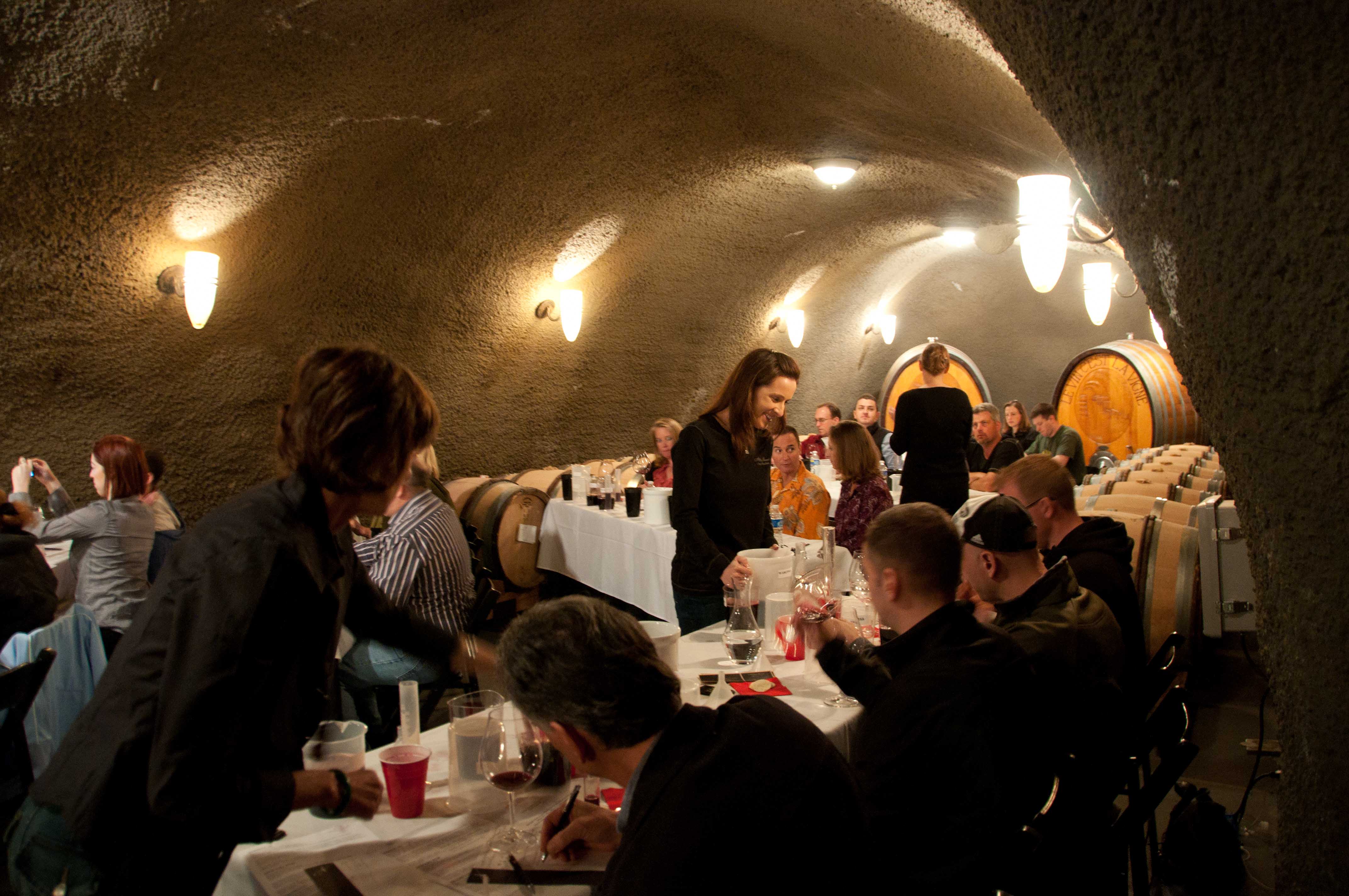
Armed with my new, official, laminated Oregon Alcohol Servers permit, I was ready to go back to Archery Summit and take that next step to really serving and selling consumers.  Of course I would pick a Wine Club (A-List) release weekend to practice my new skills.  Saturday was the Spring A-List release event for customers to pick up their 2009 Pinot Gris, 2009 Vireton Rose, and 2008 Premier Cuvee Pinot Noir.  Those wines would be served at the first three serving stations in the barrel caves underneath the winery.  The last serving station would be for the 2007 Arcus Estate.  I was assigned this last table because presumably as an A-List customer for 10 years I knew a lot about the Archery Summit wines. All the staff knows that Arcus Estate is my favorite of the Archery Summit Pinots.

Along with the wines being poured at each station, there was a food pairing.  On my Arcus table there was a plate of dark chocolate with hazelnuts from Honest Chocolates of Newberg, OR.  The aromas from the dark chocolate and the Arcus Estate Pinot Noir were cruel and unusual punishment.  I knew I couldn’t dive into the chocolates or I’d be munching all day.  Then, I realized I’d be pouring Arcus Estate all day for the guests and I couldn’t have any for myself (Oregon Alcohol Pourers Law – look it up).

At 10am sharp, the guests started arriving.  We’d been advised to do 1 ounce pours to make the wine last as we didn’t know how many guests would be coming for the day.  Over the course of the day, it became clear that I was incapable of delivering a one ounce pour.  The bigger problem was that as I was the last station and had the best wine, the guests kept coming back for second and third pours.  Nobody had warned me about that phenomena.  I didn’t want to turn anyone away and the rest of the staff was so busy there was no one to ask what to do.  I kept on pouring graciously. From the guest perspective they were delighted to find a newbie pourer.  At the end of the day I had gone through 36 bottles of Arcus Estate wine for the 500+ guests.  I gained the dubious distinction of the pourus maximus.

Pinot Noir Grapes Ripening

At the beginning of the day, I assumed that since this was an A-List release event all of the guests would know about the wines, particularly Arcus Estate, since Archery Summit has produced this wine since the early 1990s.  Then I remembered that Chris shared that unlike other wineries, Archery Summit wouldn’t turn non A-List members away if they showed up for a tasting.  So I started “presenting” the wine to each guest and describing a little about the qualities of the Arcus Estate Vineyard.  If they started asking questions, I shared some more.  Pretty soon I realized that relatively few of the guests knew that much about my favorite vineyard.

I started honing my pitch a little more and began engaging with the guests to learn more about their backgrounds.  Where are you from?  What did you think of the Pinot Gris?  Which wine was your favorite today?  All of these were easy warm up questions, and most folks took the questions for what they were – an invitation to a deeper conversation about the wines.  I was really having fun now.  I realized it is easy to be an extrovert when you have a great product that you are holding in your hand and that lots of people want more of (well, OK, I did taste a little of the wine to help the extroversion along).

Tasting through the vintage

Even when the crowds got real dense and I was scrambling to pour wine and open new bottles to keep the flow going, I was having a great time.  My tongue got tied up at times and twisted around and I got a temporary case of “word salad” popularized on Boston Legal.  All in all, it was an invigorating day spending ten hours on my feet interacting with 500 fine wine consumers.

After we cleaned up from the Wine Club event, it was time to stage an experiential seminar for twenty couples who were CEOs of businesses in Southern California.  Anna Matzinger led a sensory experience seminar with some 32 differing “smells” in covered wine glasses and five “spiked” wines infused with different aromatics.  During the seminar, Patrick joined one of the tables and worked his irrepressible magic by going through the seminar with the guests.  When it came time to taste the 2008 Arcus Estate, Patrick created his visual language map of the wine and enthralled the guests at his table.

Tasting a range of Oregon Wines

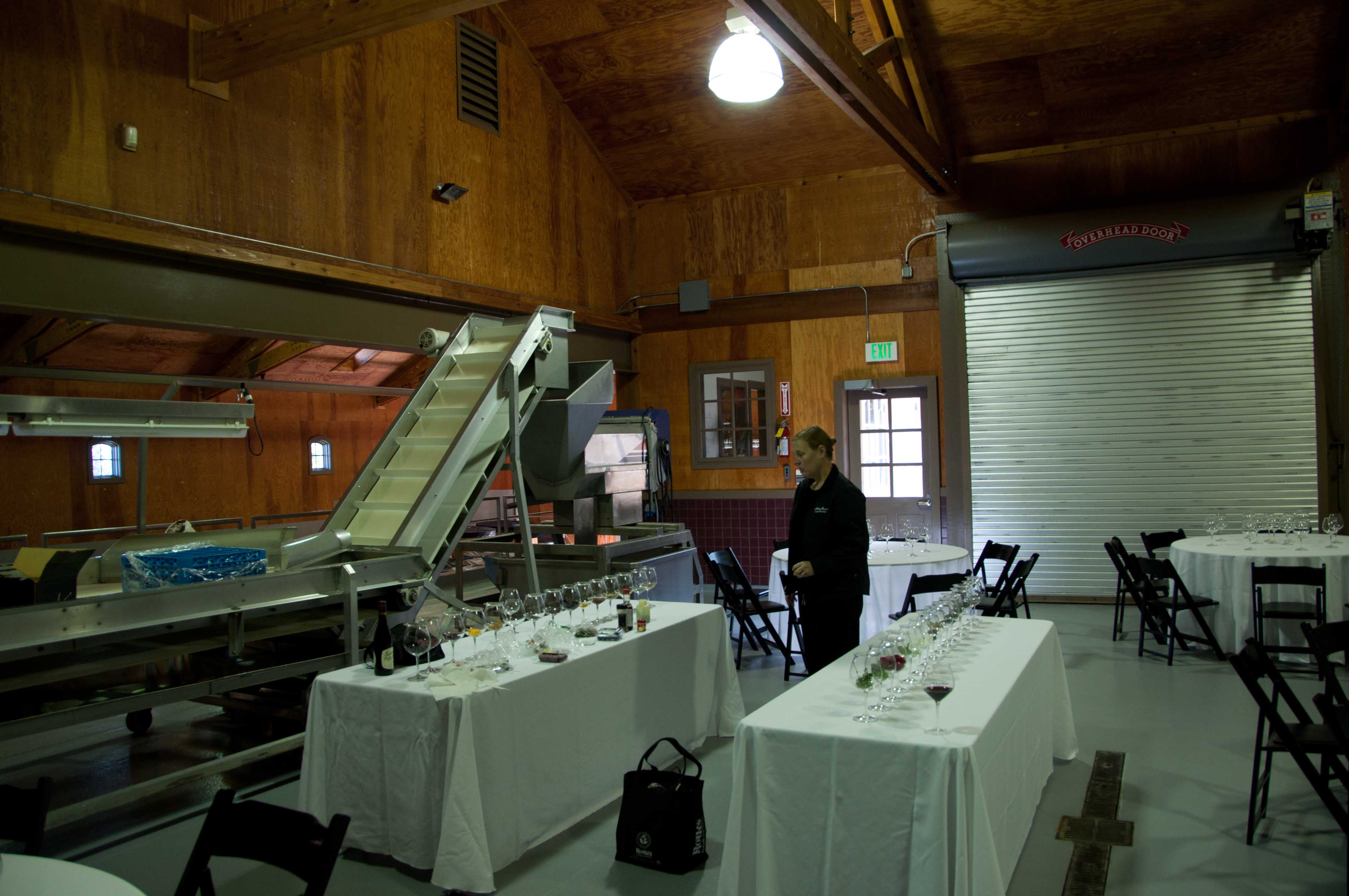
After the seminar, the couples came down into the fermentation room to taste wines from three wineries of which Dominio IV was one.  I think all of the couples at Patrick’s table immediately started tasting his wines and Patrick did a booming business in the 30 minutes that went by so quickly.  I had the chance to observe and listen to Patrick as he described his wines and extolled their virtues.  I felt like I was in the presence of the pied piper.

After a quick dinner with my daughter, Maggie and her fiance (now husband), Brian, I went back to the hotel and collapsed into bed.  Everything hurt from my feet to the top of my head.  I wonder as I nod off if I will be able to make it through the next day in the Archery Summit Tasting room.

Archery Summit Estate Vines

I showed up in the tasting room the next day at 9am to get ready for the 10am opening.  There would be just three of the permanent staff on duty as it was expected to be a slow day.  In addition, a recent hire who did not yet have her Oregon alcohol server’s permit was there to help out with the glass cleaning and behind the scenes chores.  Because there were several tours and private tastings during the day, it meant that for much of the time there were only two of us in the tasting room to pour and educate as many as twenty five people squeezed into the tasting room.  Because it was pouring rain and cold most of the day, there was little relief for the guests to relax outside on the patio.

In the beginning, I was tentative with my first set of customers.   At least 90% of the consumers were on their first visit to Archery Summit with many of them from out of town (couples from Boston, Dallas, Houston, South Carolina, Seattle …).   As the morning wore on, I became more comfortable and more confident in my delivery of the wonders of each of the four wines we were serving (2007 Premier Cuvee, 2007 Renegade Ridge Vineyard, 2007 Looney Vineyard, 2007 Arcus Estate).  I’d present the bottle to each consumer and describe where each vineyard was located and a little about the aroma and taste profile that each vineyard imparted to the wines.

I would then answer questions as they arose trying hard not to do too much MSU (making stuff up).  Whenever someone indicated that they were interested in buying some wine, I’d hand them the A-List brochure and let them know that the $15 tasting fee would be waved and they could be assured of receiving the fine wines as they are released during the year along with the 20% discount.  At least four of the consumers that I engaged with signed up for the A-List.

I was really having fun now.  As the afternoon wore on and there were only two of us serving, I was hopping between four different groups at a time.  The challenge of figuring out where each group was in their tasting sequence, remembering to do the presentation and a little education on each wine, engaging the consumer in a personal conversation and showing my enthusiasm for the wine was quite a trick.  I loved it.  Every once in a while somebody would recognize the Masters logo on my shirt and we’d have a great discussion about the latest tournament.  About mid afternoon I was getting playful and my description of the Arcus Estate wine included – “note the wonderful aromas that hit you even before your nose gets close to the glass.  Whenever I smell those wonderful floral notes from the Arcus Estate, it just screams time to have a party.”  I’d get a good laugh and the guests would go “Yeah, it is time to have a party.”

“Well, then surely you need to take some Arcus Estate with you,” I’d respond.  Some of the folks even took me up on that silly line.

One of my favorite questions during the day came from a couple who wondered how many bottles of wine the grapes from a single vine would make.  I just happen to know the answer to that one as a result of reading Brian Doyle’s The Grail:  A Year Ambling and Shambling Through an Oregon Vineyard in Pursuit of the Best Pinot Noir Wine in the Whole Wide World.  So I passed on the story that Brian shared in his book and suggested they find the book on Amazon.com.

“Grapevines are amazing life forms when you think about it, they plunge their fingers a hundred feet down into the rocky soil, they can live for hundreds of years, they fend off all sorts of insect attacks, and they have been working with human beings for so long, thousands and thousands of years, that you wonder sometimes who cultivates who, you know what I mean?  Are people manipulating and taking advantage of grape vines, or are grape vines deftly using human beings to take over the world?”

“On my way back uphill to my car I remember what Jesse told me once, that each vine produces enough grapes to make about three-fourths of a bottle of wine, and I chew on the idea that three-fourths of a bottle of excellent wine is probably just the right amount necessary for two or three people to start telling stories fast and furious,so that each of the vines I pass is pregnant with stories, some of which were never born into the world before, and this idea makes me happy also, so by the time I get to the town where I am supposed to give a talk I am cheerful as a chipmunk.”

I shared with this couple that everytime I pick up this book I have to reach for one of my Archery Summit wines and pour a glass to sip while I reread Doyle’s wonderful Dundee Hills descriptions.

Pretty soon it was 4:30pm and the last of the guests were leaving.  The afteroon just sped by.

As a team we were all pretty beat as most of the us had worked both days and two of the team had worked four very busy days straight.  We reflected on the day and I helped a little with the cleanup and then said goodbye for the four hour (turned out to be five hour) drive north.

As I drove out of the red hills of Dundee, I just had to call my friend Barney and share a quick reflection.

“Barney, I just got the best sales education I’ve ever had in forty years of professional life.  What a great learning cauldron is trying to sell something in a tasting room under full load.”  I knew Barney could relate as he’d shared stories of his managing tasting rooms in his early winery career.  It is one thing to hear those stories and another to experience the tasting room selling environment for myself.

I realized there is something so powerful about sharing what you are passionate about with other people who are trying to learn.  Particularly the customers who brought themselves to a remote hard to find tasting room to learn about wine in this place called the Red Hills of Dundee.

Over the last 40 years, I’ve been a part of “selling” in many trade show booths to the masses who come by.  I’ve always hated those shows because it is such hard work to figure out the knowledge level of the person standing in front of you and then adapt your message to fit their needs.  Because I was always selling serious enterprise level software, I figured I had to be even more serious in my presentation.  I always felt it was a losing proposition to present something as complicated as Attenex Patterns in two minutes to somebody who only marginally cares.

As part of my wine education, I’ve had the joy of discovering the incredible complexity that goes into fine wine grape growing and fine wine making that it takes to produce a joyous product like the Archery Summit Pinot Noirs.  The gift of wine is that complexity comes down to the color of the product, the aroma that wafts from the glass, and the taste as the wine’s structure pours onto our palate.  Yet in the tasting room, I was still in my head in describing the wine and trying to figure out how to impart all that I’ve learned about the wine process.  Some folks found that interesting but not compelling.  It wasn’t until I started having fun with the consumers that the breakthrough occurred.  Once I got comfortable getting out of my head and letting all the knowledge and passion come out by being playful and engaging, I started creating relationships that also turned into selling transactions.  Could it be that simple?

There is also a power in being able to repeat a pitch over and over again, much in the same way that Bill Murray got to repeat a day in his life repeatedly in the movie Groundhog Day.  Quickly you realize that each new consumer is a chance to experiment.  The ability to go through 50+ pitches in an afternoon across a wide range of age groups – 22 years old to 75 years old – of both genders and with people from all over the country and with a wide range of knowledge about wine, hones one’s “selling” capability quickly.  Of course, wine also has the nice characteristic of loosening up the consumer as they taste the wine and help them be more relaxed and open to the “relationship.”

In so many of the sales training courses I’ve taken, you might get two or three opportunities to practice your pitch to a “customer”.  Invariably these practice sessions are with other students in the class, not live customers.  With most of the products or companies that I’ve been making pitches for over the years, if you get 5-10 times a week to deliver your pitch that was a busy week.  In two short days, I was able to pitch to over 650 consumers.  I made plenty of mistakes but a quick shrug and a smile would overcome those mistakes in a heartbeat as I’m sure everyone could see how much I enjoy the wines.

There were several questions I couldn’t answer and often there was nobody more knowledgable around, but there is always a way to move the conversation forward.  My favorite question over the weekend was “how does the 2005 vintage year compare to 2006, 2007, and 2008?”

“Gee, I don’t know, I can’t remember back that far, but look over here, we put a vertical together of just those years of the Arcus Estate as a package deal for you today at a great price.  Pick one up and taste for yourself the difference that the vintage made on those wines.”

There is something about being on the firing line with the customer with no backup that brings out a rapid education.  Of course, having a great product that speaks (tastes) for itself helps a lot – “taste the wine and what does each of these wines say to you?”  Being able to turn the question around is so easy with an Archery Summit wine.  Reflecting on this phenomena is when it really clicked what a great way and place to learn to sell is a tasting room.  When in doubt, let the wine speak for itself.

Arcus Estate Pinot Noir

I shared with Barney, how knowing what I know now, I wished I had worked in a tasting room 30 years ago.  Then I realized that for those who are just starting out what a confidence booster working in a tasting room could be.  Over the last several months I’ve noticed how quickly the younger tasting room staff goes from not knowing much about the product and being little more than a server, to being confident in their interactions with the customers and demonstrating a wide range of knowledge.  Could it be that a tasting room selling education is even better than a Dale Carnegie course or a Toastmaster’s course?

And the truly funny thing is that as an alcohol server you can’t drink any of the wine while on duty.  So all of this education is coming while I am completely sober.

The next time you open up a bottle of Archery Summit Arcus Estate Pinot Noir and drink in the floral notes of the wine’s aroma, know that the wine is just screaming “use me to learn to sell.”  Let’s have a party.

Posted in Attenex Patterns, Content with Context, Human Centered Design, User Experience, Wine | Leave a comment

Visualizing the Taste of Wine – Shape Tasting

A couple of years ago, my wife and I attended a wine blending seminar put on by one of our favorite winemakers, Anna Matzinger of Archery Summit Estates. As Anna was describing the art of wine blending, she commented:

“As I’m tasting I’m always thinking in terms of shapes. Tasting is also a visual experience for me. Thinking of the palate in three dimensions, how is the blend creating a shape on the palate in my mind? I will usually sketch the shape of the blend so that I can remember the smell and taste that I want to achieve. The sketches also help me compare blends across different years.”

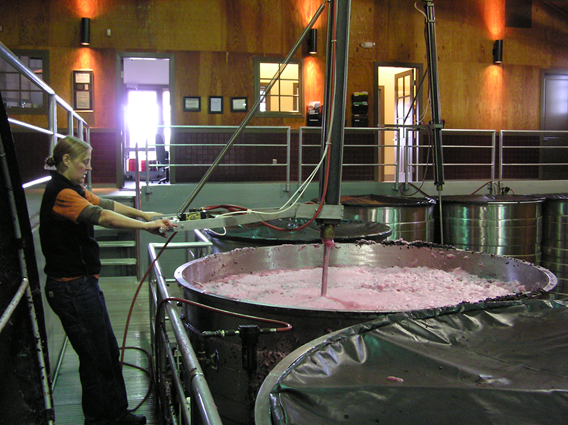
Anna punching down the Pinot Noir

It took me a few minutes to realize what she’d just said – she tastes the wine by thinking in shapes.  I immediately asked Anna if I could come interview her about her visual pattern language for wine tasting.  She kindly agreed and I showed up at Archery Summit for an afternoon’s education I will not soon forget.

As we started the interview, Anna shared her frustration with the language of wine that is fostered by other winemakers and wine writers.  She continued:

“The words that everyone uses help to sell the wine, but they don’t help me to remember what a wine tastes like all through the process of fermentation and then through the process of aging.  When I would come to the next vintage and look at my traditional notes from previous years, they didn’t help me to remember what last year’s vintage really tasted like.  Then I started noticing that my way of remembering is visualizing the shapes of the wine on my palate.  I started sketching the shapes in my notes for each wine from each vintage.  Now it is easy for me to go back and compare wines at different stages of fermentation and across vintages.”

Like all good conversations with a winemaker, sooner or later you end up in the barrel room to demonstrate what you’ve been talking about with a taste of wine. I had a great time tasting through different vineyards and watching Anna sketch the shape of the wine against her palate.  The joy for me is that several terms that wine writers use all the time finally became clear like “fruit forward” or “long drawn out finish.”  By first sketching the shape of one’s mouth opening and then using symbols to represent types of flavor profiles and where they occur on the palate, I could see the taste of the wine.

Archery Summit Barrel Cave

As a mostly visual person, I was so excited to finally have a language to understand and describe the wines that I’m tasting.

I asked Anna how other wine makers respond to this visual language.  She replied “Oh, I never share my sketches.  Other wine professionals would think I’m crazy.”

I looked forward to writing up my notes, but never took the time.

A few years later, I spent some quality time with Patrick Reuter of Dominio IV wines.  In the closely connected world of Oregon wine, Patrick is the husband of Leigh Bartholomew.  Leigh is the vineyard manager for Archery Summit Estates.  Together, Patrick and Leigh created Dominio IV and bought some property (Three Sleeps Vineyard) along the Columbia River to grow Syrah, Tempranillo, and Viognier.  Leigh’s parents live on the vineyard property and tend the biodynamic grape growing for Dominio IV wines.

Patrick started talking about shape tasting of his wines. Immediately, I asked if he and Anna Matzinger had ever compared notes. He laughed and shared that Anna had gotten the idea from him. Patrick agreed to spend an afternoon with me demonstrating how he goes about shape tasting.

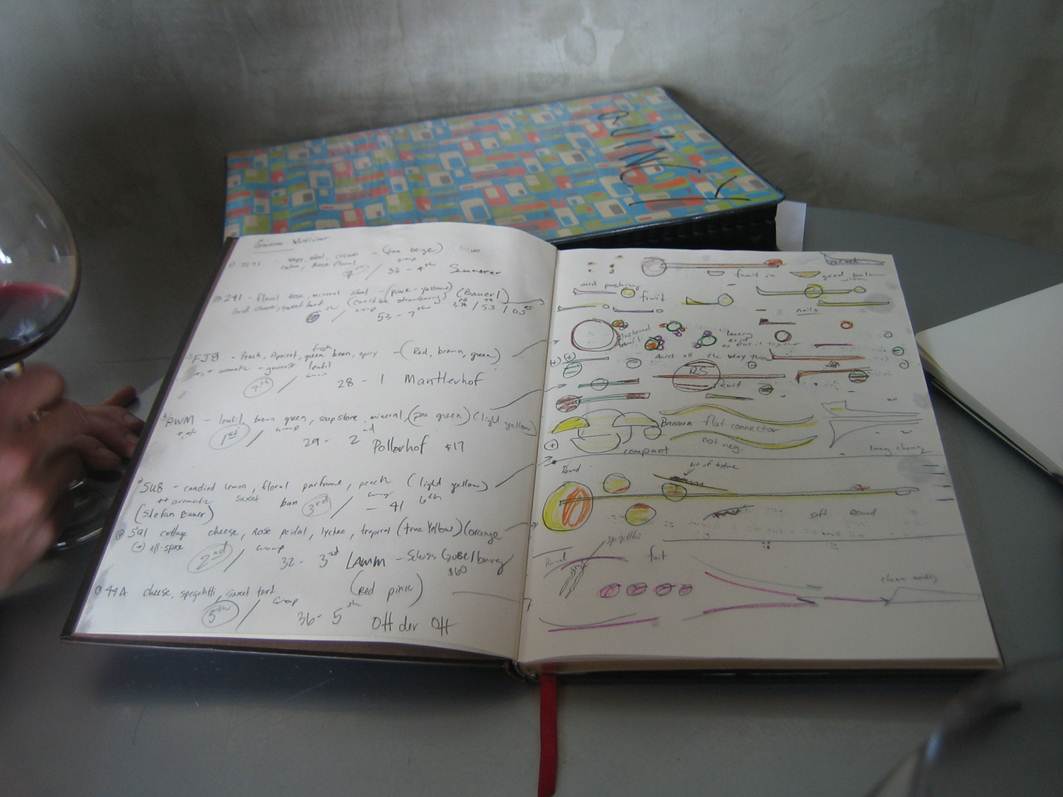
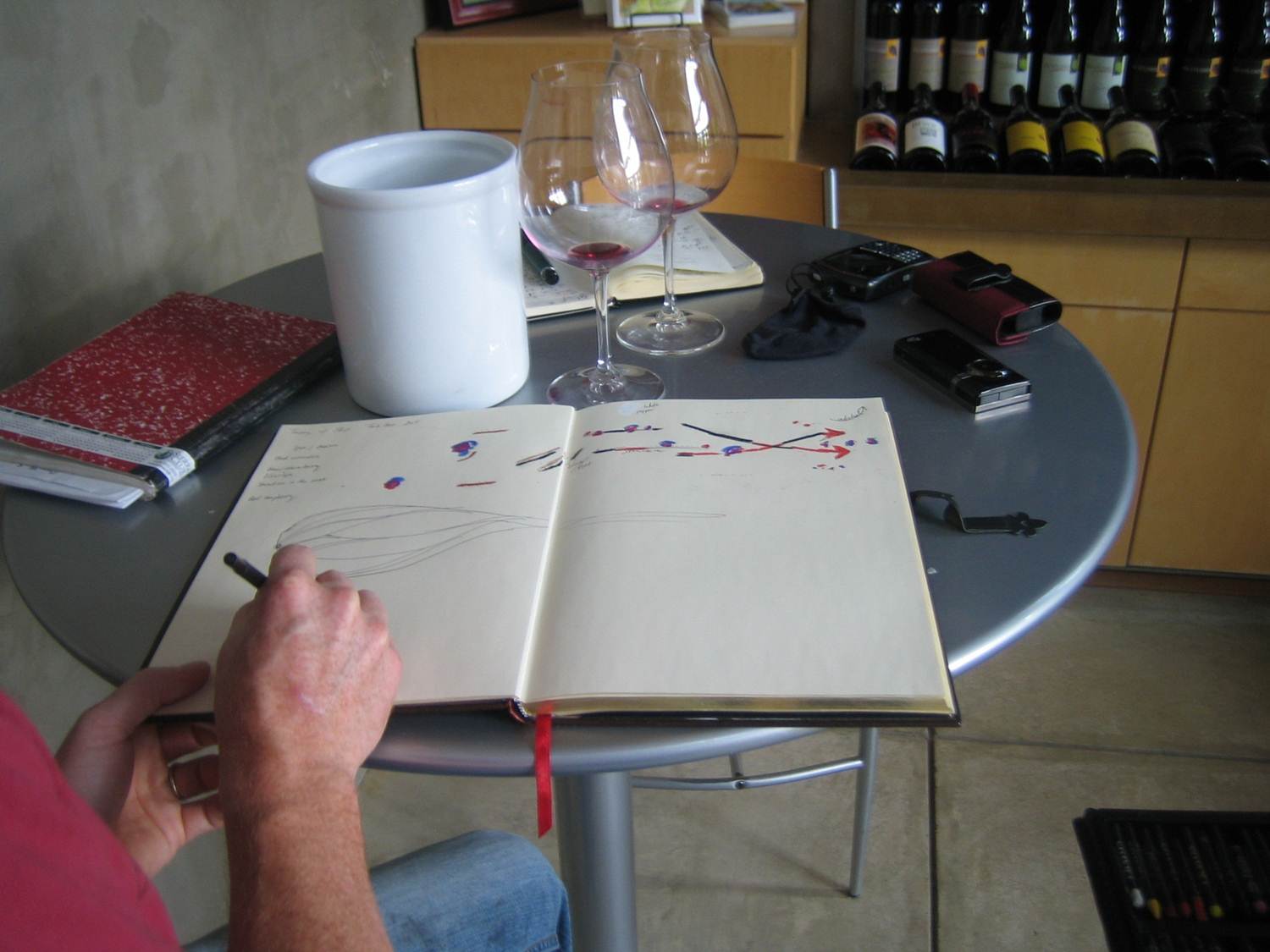
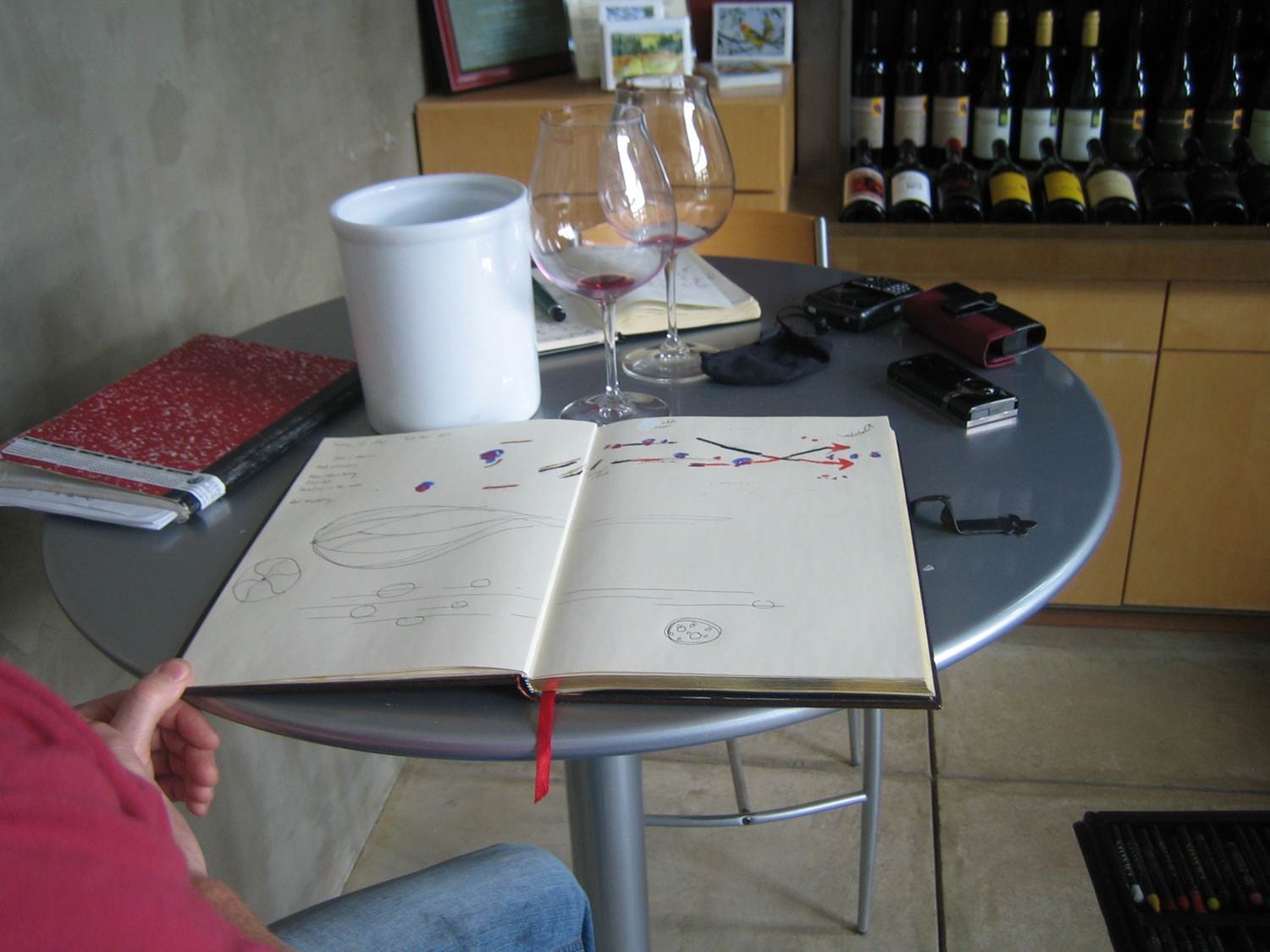
At the time of the shape tasting observation, Dominio IV was still located in the Carlton Winemakers Studio.  We took over a table in the tasting room and Patrick brought out a Tempranillo that he was in the process of figuring out a final blend.  We both tasted the wine and made some initial comments on how we thought the wine was maturing.  Patrick then brought out his sketch book and I was overjoyed to find that he had a rich palette of shapes and colors to create his image of his wine tasting palate.

Patrick's Shape Tasting Sketch Book

Along with his sketch book, Patrick pulled out some examples of the informal shape tasting notes he takes as the fermentation and trial blending go merrily along.

Shape tasting blending and vintage notes

As we now start diving into the Tempranillo blend for shape sketching, Patrick illustrates on the top colored part of the sketch the flavors he is tasting and the sequencing in his mouth of the flavors.  In the middle of the sketch he makes a vertical slice view of the palate.

Midway through the Tempranillo Shape Sketching

After drawing the flavor profiles and the shape of the palate, the final shape sketch emerges:

Final Tempranillo Shape Sketch

As Patrick evolves the shape tasting, he is putting together a seminar for sommeliers and other winemakers. He likens the shape sketching and tasting to the concept of synesthesia – which is a neurological condition in which stimulation of one sensory pathway leads to automatic involuntary responses in another pathway.  An example of the phenomena is when someone perceives letters or numbers by color:

Synesthesia

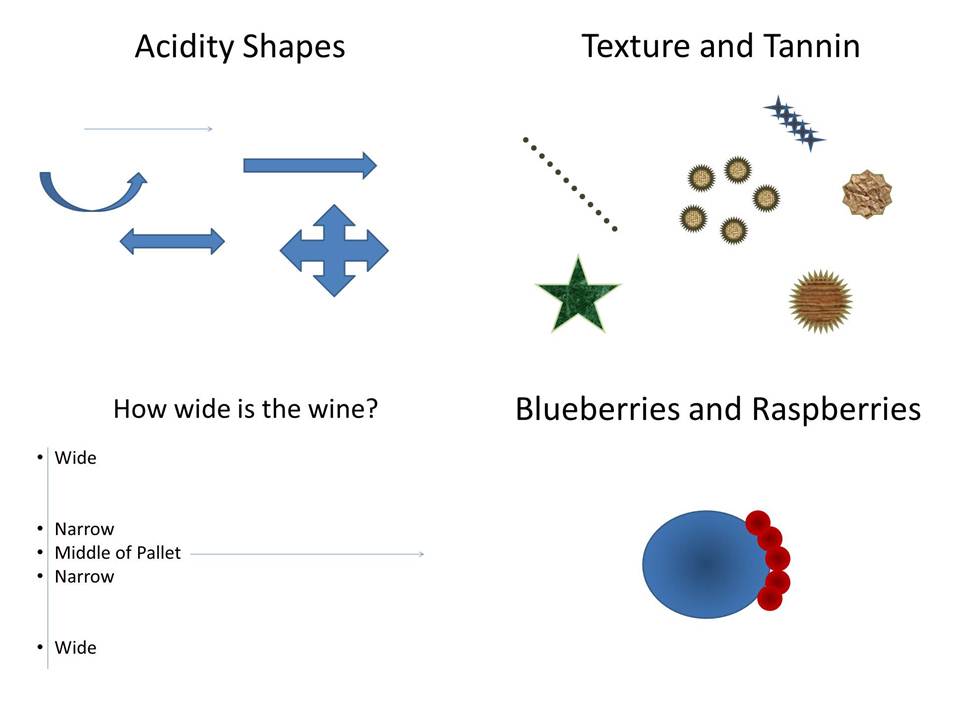
At the start of the presentation, Patrick provides examples of his symbol and icon set:

Tasting Shapes and Symbols

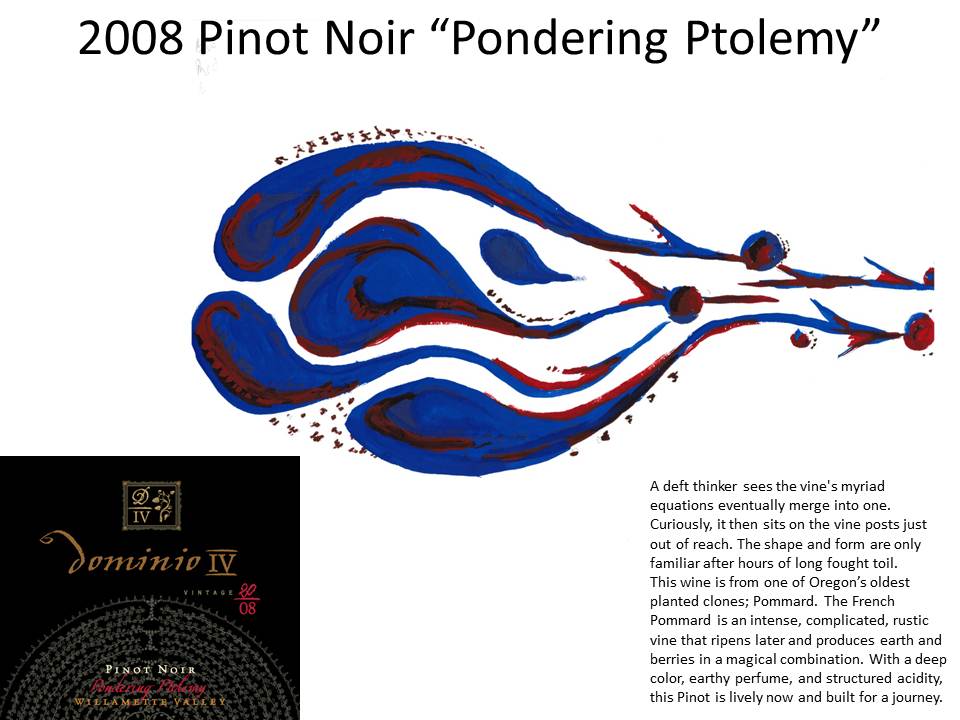
With these shapes, Patrick then provides an example of a shape tasting of the Dominio IV 2008 Pinot Noir “Pondering Ptolemy.”

2008 Pinot Noir "Pondering Ptolemy"

Periodically, Patrick teaches private sessions at the Dominio IV winery on how to develop shape taste profiles.  He starts by sharing one of his shape tastes of a current Dominio IV wine:

Shape Tasting Example

After going through some examples and explaining some of the symbols, Patrick pours one of the current wines and has the “students” practice their shape tasting drawings:

Practicing Shape Tasting Sketches at Dominio IV Tasting Room

In addition to being a superb winemaker, Patrick is creative in the naming and describing of each of the wines he produces.  The shape, the label, and the back of the wine bottle text provide a rich multiple media view of this 2008 Pinot Noir.  Of course, the wine smells and tastes fantastic as well (particularly in the right Oregon Riedel Glass).

If you are looking for an immersive wine education and fine wine tasting unlike any other, visit Patrick Reuter in his McMinnville, OR tasting room for a shape tasting.  For the visual thinkers among you, wine will never taste the same again.

Posted in Human Centered Design, Travel, User Experience, Visual pattern Language, Wine | 6 Comments

Everything Old is New Again

I live for good questions which cause me to stand back and have to think and reflect.

While attending Professor David Socha’s UW Bothell CSS 572 course on Evidence Based Design, during a break David asked me to compare and contrast our experience with the success of developing DEC’s ALL-IN-1 to the Kleiner Perkins 10 Criteria for iFund Success:

10 Criteria for iFund Success from Chi-Hua Chien

Chi-Hua Chien shared these criteria as part of his presentation to a Stanford iOS class. My first response to the question was to laugh at the absurdity.  ALL-IN-1’s design center was on dumb video terminals and aimed at Enterprises in 1981.  Mobile smartphone applications are at the complete opposite at end of the spectrum of rich multiple media portable communications.

However, with David’s wonderfully curious encouragement we went through the ten criteria.  While we had to change some of the terms like “iPhone” to VAX/VMS platform and “mobile” to “remote access,” the criteria were surprisingly timeless in their applicability.

As I was dragging myself through the cobwebs of my memory, I shared with David “did I ever tell you that with ALL-IN-1 we actually ‘invented’ what we know today as Javascript?”

David looked at me like I was crazy and said “What are you talking about?”

While we never emphasized it, for a number of design reasons (primarily for things like calendaring and forms data entry), each email message was an actual program, not just a text stream. We took each email entry and wrapped it in a program.  So we were really emailing application programs around.  We had to invent our own scripting language to wrap around the email text.  The scripting language looks surprisingly like what we know as Javascript today.

As I said those words, the impact of what I was saying in the context of the digital humanities discussions hit me between the eyes.  I’ve struggled to articulate the design essence of a new medium of communication that is emerging from my understanding of the thoughts that Kate Hayles has imparted.

In the iOS video, Chien makes the observation that the content world of the web is morphing into the “Context over Content” app world of the iPhone/iPad.  In other words we are transitioning from a content world (books, web pages) to an app world and from a static content world to a dynamic and highly personalized and contextualized world.

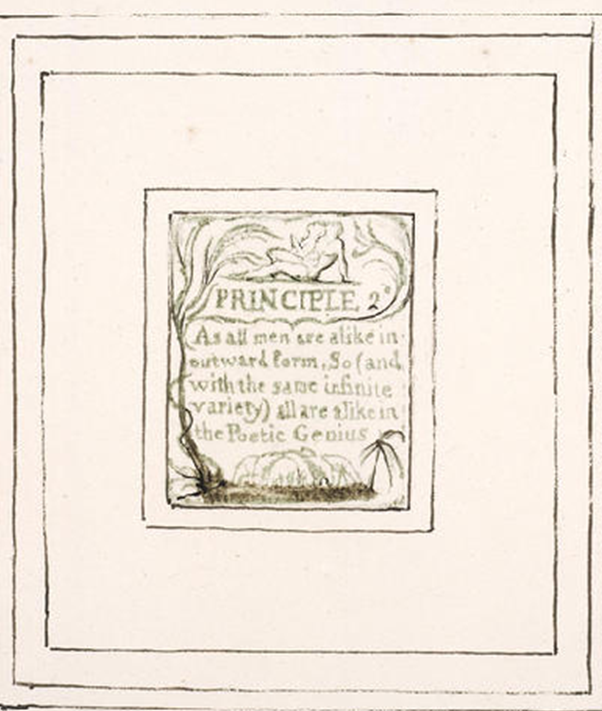
Kate Hayles pointed out that at many levels this mediated world of text was an old development as William Blake wanted tight control of the publishing of his poetry so that he could publish the “text” of the poem embedded within his art (see post on Digital Humanities).

William Blake Poem within Art

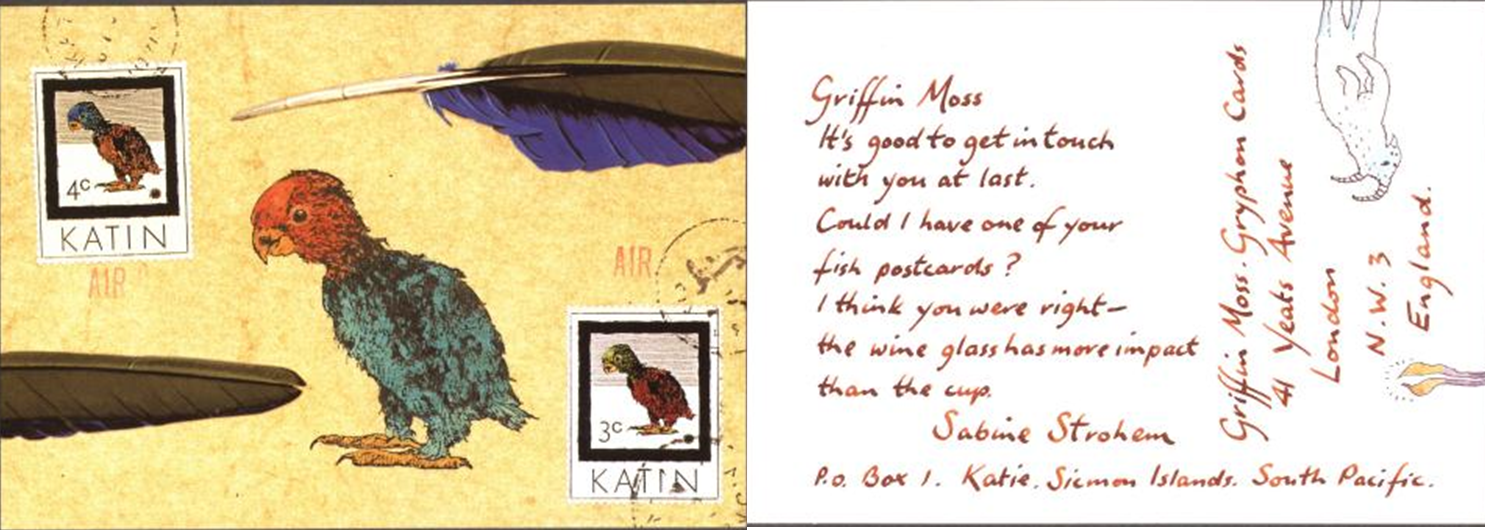
In a more recent form of this print rendition, Nick Bantock embedded his story of Griffin and Sabine as an illustrated “correspondence”:

Griffin and Sabine Mediated Conversation

Thinking back to what we did with ALL-IN-1, I wondered whether we could bring back the notion of an email message as a dynamic application where I could bring art to the medium of business communications. Business communication could now be a fully mediating object of socialability.

I then remembered what Harvey Brightman shared for his technique for providing quick feedback to his students for their assignments – just record his comments rather than having to spend a lot of time trying to type his comments.  He was four times more productive speaking into the computer than trying to type his response. More importantly, the students loved the verbal feedback much more than the flat text. For myself, I find reading documents from people I’ve met face to face takes on a different meaning.  As I read, I am able to hear their voice in my head, not a generic voice.  What if we audio recorded the key components of our business communications so that the recipients can hear the communication in our actual vibrant voices.

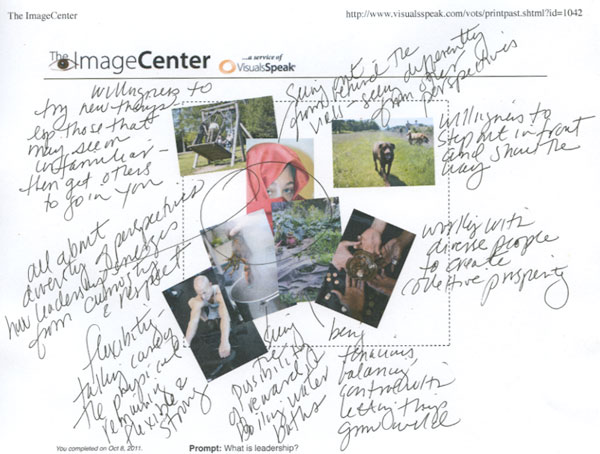
Synchronicity struck once again.  I’d arranged to meet Sylvia Taylor the morning after David’s class to gain a better understanding of her intentional work in energizing teams and developing leaders through her work with the VisualsSpeak image kits. She showed me an example of an online/offline use of the tool:

VisualsSpeak "Making your Training Stick"

As she described how she used the photo images and the online version to coach her clients, the vision of the future of business communication crystallized. What if for each business email (or proposal or plan) we sent, we really sent an interactive app (that could come alive on an iPad) that was composed of the text, the images that represented a visual rendering of our ideas, and an audio track that captured our key points and actions in our own voice.  The email “app” would then become a container for the social commentary of the recipients (in text, visuals, and audio). The key design aspect is that instead of the content objects being put together sequentially like this blog, it would look more like the Image Center example above – with the text, visuals, and audio integrated into a dynamic form. With this simple transform we would realize on a minute by minute basis what Stan Davis talked about in The Art of Business.

While I was fascinated by the photographic images, I remain impressed with the notion of Team Art from the McCarthy Bootcamp where I first met Sylvia.  I asked Sylvia if the VisualsSpeak founders thought about using artwork. Sylvia chuckled and pointed me to co-founder Christine Martell’s blog about “Making a Difference with Art Every Day.”  She also showed me a gallery of Christine’s art, some of which was created on the iPad.

I can’t wait to dust off our ALL-IN-1 software designs and bring them into the mediated world of iOS and Android.

What if the critique or responses to our business communications had the ability for the recipients to participate in the team art process of adding to the artwork that came with the text message?

What if we could make a difference with art in our business communications every minute with our intentional emails and business communications?

Posted in ALL-IN-1, Content with Context, Human Centered Design, Photos, User Experience | 5 Comments

Sifteo Siftables – So Near, So Far

A couple of months ago, my user experience researcher daughter, Liz Shelly, sent me an email asking if I’d see the Sifteo Siftables.  She was walking to lunch in the Financial District of San Francisco and came across some Sifteo employees demoing the product on the sidewalk.

When I went to the Sifteo website, I realized I’d seen the TED video of David Merrill demoing his siftables last year.  I had made a note to find the toys when they came out. On Wednesday I came across an ad for them and immediately ordered them from Amazon. They arrived Friday and I’ve been tinkering with them ever since.

The out of box experience is unremarkable.  However, just picking up one of the Sifteo cubes is just so tactile and cool. To imagine how much of a complete computer is in this little square – CPU, Memory, wireless network, video display, and sensors.  The minute I saw the website, I got excited thinking about how I could use this as a basis for a class project in my upcoming UW MBA class on Designing for Demand.

The cube has everything to be at the forefront of user experiences in three dimensional tactile environments, rather than sitting in front of a glass screen.  Since it is simpler than a smart phone, it might be easier to work with for business students new to design.

Alas, I am too early in the product cycle for what I want to do with the Sifteo cubes.  The current design center for the cubes is for children as advertised.  I can imagine that they would be a lot of fun and quite engaging for that age group.  Just not so much for what I hoped to do with them.

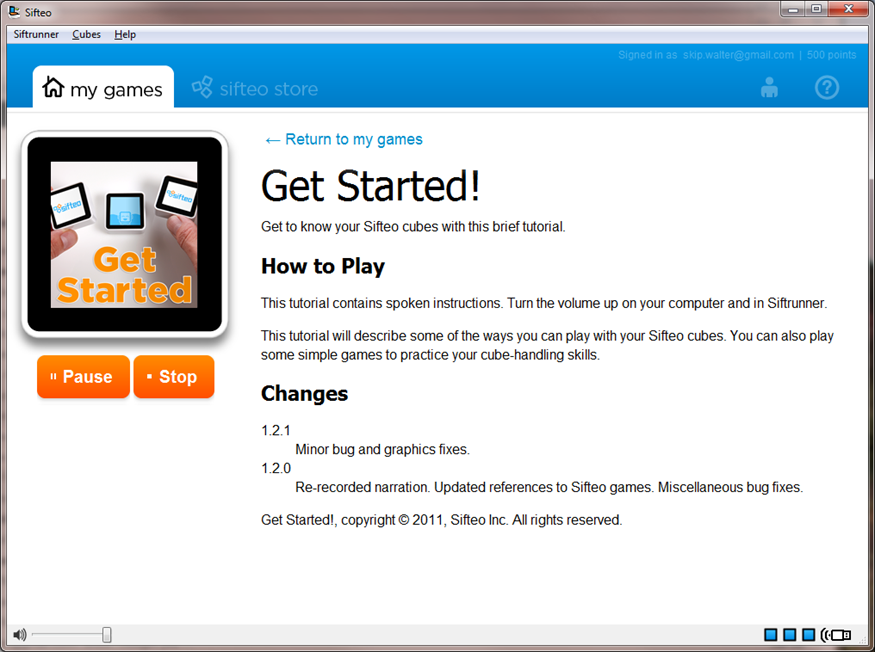
The “product” (it is just so hard to think of these as a product as they are such a cute and cuddly toy) comes out of the box and everything went as advertised with hooking into my computer.  I created an account on the web and downloaded the Siftrunner software.

I loved the pictorial way that the software figures out which cube is which – you just press the picture on the cube that matches the image on the screen.

I downloaded the Get Started game and was in for my first surprise – in order to play with the blocks you need to be within wireless range of the computer.  The sound comes out of the computer, not out of the Sifteo cubes.  Darn.  I was really hoping I could carry the cubes around in my pocket and be the first “kid” on my block to pull the cubes out and play a game in front of my colleagues.  Not without a laptop.  Bummer.  I can’t wait for the iPhone/iPad interface (I can only hope).

Get Started Game

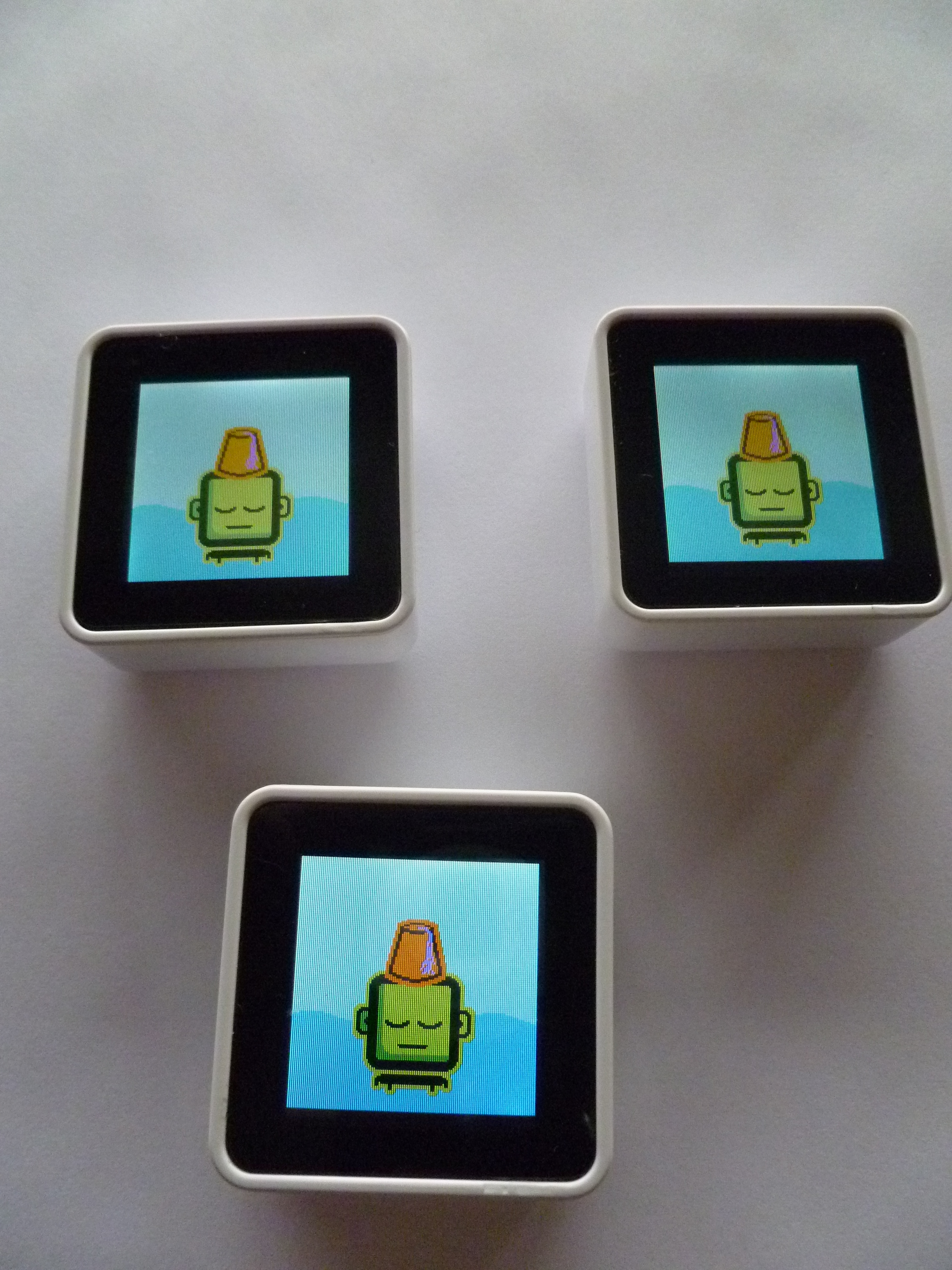
The Get Started game does a great job of showing you all of the capabilities of the cube – from the push button controlling of the action, to docking of the cubes together, to showing how the position in 3 space affects game play. So much capability. The following photo is the setup for using the tilt function of the cubes to get the hat back on the head:

Get Started

I then downloaded another game – Planet of Tune – that is about making generative music.

Planet of Tune

With each game it is weird to start the game play by clicking PLAY in the web browser. Several of the games then have some weird gyration you have to go through to arrange the blocks to get the game actually started.  It probably helps to be a child.  For me, I just keep rearranging the blocks through trial and error and then something finally happens. Unfortunately, I can’t remember what it is that gets things started.

Planet Tune Startup

Planet of Tune is kind of cool as it has a record function so that you can replay the generative music you create.  However, it is still weird to have the music coming from my computer speakers (displaced away from where I’m playing).  The cognitive dissonance of having the blocks in one place and the sound coming from somewhere else is hard to get used to.  On a laptop, the tinny sounding speakers make it worse.  I suppose I could use headphones but that makes me even more connected to the computer.

The business model for Sifteo is clear – the games store.  At least you have some point credits when you get started so you don’t have to spend real money to get a game to get a sense of what the cubes can do.

The most disappointing part of the Sifteo system is that you can customize very little.  As a non-programmer all you can do is display different text or numbers on some of the sorting puzzles.

Sifteo Creativity Kit

Old Man Shaking his head "Nope!"

In order to do anything else you have to download the developers kit and start programming away in C# and .NET.  Unfortunately, those are not capabilities I possess any more.  I was hoping there was some form of intermediate language or tool. I really would like to see their API but have not figured out how to get that out of the download or on the website.

But the cubes are just so cool. I just want to carry them in my pocket and click them together like the stress relieving Chinese Exercise balls.

Lori Emerson on her blog provides a great review on using the Sifteo cubes in a humanities classroom.  From my recent research into digital humanities, I wanted to implement some version of the Zero Count Stitching generative poetry that John Cayley developed.

Not being able to customize the Sifteo Cubes, I decided to track back David Merrill and his research work at MIT. There are more than enough publications here to keep me busy for the rest of the weekend that I’d allocated to playing with the cubes.  My favorite is “Make a Riddle and Telestory: Designing Children’s Applications for the Siftable Platform.”  As I poke around some more, I see that David was involved with Alex Pentland and his sociometer research.  I am a big fan of Pentland’s book Honest Signals: How They Shape Our World.  I’ve been waiting to try out a sociometer for several years.

Oh well, back to the Sifteo Cubes for some more serious play.

Posted in Human Centered Design, Software Development, Transactive Content, User Experience | Leave a comment

Teams versus the Professor/Student Learning Relationship

Once again, I was reminded of the power of a committed group of good thinkers to generate insights with problems that have been bugging me for a while. Six of us got together yesterday to gain a preliminary understanding of whether we might be a collaborative group to figure out how to scale powerful forms of adult experiential learning.

Prior to this meeting, I’ve been spending a lot of time researching (see Cathy Davidson), experimenting, attending seminars, and sitting in on other professors classes to identify a better way to help students learn and rapidly translate their learning into meaningful action.  For a long time, something has bugged me about standing in the front of a lecture hall (with fixed chairs and tables) as the “professor” who will somehow enlighten the “students.”

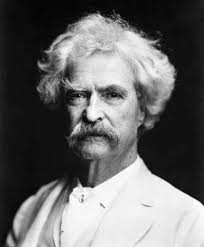
I am reminded of Mark Twain’s comment “College is a place where a professor’s lecture notes go straight to the students’ lecture notes, without passing through the brains of either.”

Long ago someone shared that the person who learns most in the classroom is the teacher. Selfishly, this accelerated learning as a “professor” is one of the many reasons I get so much enjoyment out of teaching.  Yet, in reading Cathy Davidson’s Now You See It, she provides evidence that having the students teach accomplishes accelerated learning – for both the student and the instructor.

As I was listening to my colleagues talk about the need for trainers and train the trainers and certifying trainers in order to develop great teams, the light bulb went on.  Here we were talking about how to produce great teams, but we still set up the distinction between Master and Student.  Our whole framework is the thousands of year old, master apprentice model of learning.

I realized that I had experienced another model of learning that involved teams of teams of teams with the focus on creating powerful groups of 3-7 member/leaders.  Twenty years ago, family friends invited my wife and I to live a Cursillo (Spanish for short course) weekend in New Hampshire. [Note:  The Protestant variant of Cursillo is Walk to Emmaus.]  Through the experience of the weekend, I realized that the transformative power of the accelerated learning was happening by this wonderful focus on teams and teams of teams.  I spent a lot of the next ten years finding out as much about the Cursillo Method as I could and had the gift of participating as a team member in many different environments in New Hampshire, Massachusetts, and Washington State.

The brilliance of the model is that starting with the invitation to participate in a Cursillo small group or weekend, the man or woman is treated with extraordinary respect as a leader.  It is only for the three days of living the first weekend that you are casually identified as a candidate.  Yet, as you look around the room of between 30-60 men, you have no idea who is a candidate and who is part of the “presenting” team.  We are all together working as a collection of small group teams to understand the talks (Rollos) through discussion and team art and the sharing of each.

The primary goal of the weekend is to create a vibrant, shared vision of what the Ideal leader is.  The structural DNA of the weekend is Piety, Study and Action.  Piety is our way of being in the world in the context of our shared vision of the Ideal.  Study is what we do to learn more about the ideal and our environment.  Action is how we put our piety and study into transforming our environment into something great.

The recommendation is for the Cursillista (candidate who has lived a three day weekend) to continue the sharing and learning in a Post Cursillo world of your small group of 3-7 men or women.  The structure of these weekly meetings over coffee or a meal is elegantly simple, yet powerful in the impact.

  • During this last week, how was I most like the Ideal? (Piety)
  • What did I learn? (Study)
  • How did I put my learning into Action?

After each team member has shared about the previous week, the questions are repeated with the time frame being the coming week for how each member will do Piety, Study and Action.

Everyone is a leader and everyone is a part of at least one team.

What if we could transform our classrooms into teams of teams of leaders?  This restructuring would certainly meet Cathy Davidson’s and Kate Hayles’ primary quality of a learning environment – collaboration.  What if we could live in a world of collaborative leaders?

What are your experiences of how to reliably produce great teams producing great results?

Posted in Content with Context, Human Centered Design, Learning, organizing, User Experience, Working in teams | 1 Comment

A Little Strategic Networking to Finish the Week

Not often enough my schedule conspires to present a strategic networking day.  An excellent article in the Harvard Business Review “How Leaders Create and Use Networks” makes the distinction between Operational Networks, Personal Networks and Strategic Networks. Most of our time is spent working within Operational or Personal Networks. The authors present the importance of spending significant time creating and nurturing your strategic network.

Harvard Business Review Strategic Networking

After reading my blog post on “Cameron Crazie for a Night”, Kevin O’Keefe of Lexblog made a virtual introduction to Buzz Bruggeman. Buzz is another Duke Basketball fanatic and we exchanged several emails.  We decided to get together for lunch and share both our love of Duke basketball and our respective love of creating software products.  Buzz pointed me to a recent CBS sports story on why Duke students weren’t attending games like they used to which explained why I was able to get into the Duke – Wake Forest game so easily.

Buzz Bruggeman

Buzz is one of those unstoppable forces of nature when it comes to being enthusiastic about whatever topic of interest is on the table. As a former real estate transactional and litigating lawyer, Buzz got wound up sharing his worldview and I enjoyed taking copious notes during the next two and a half hours of his non-stop story telling.

In the synchronicity department, it turns out I lived in a Freshman dormitory (House H) where Buzz was the housemaster a couple of years later.  When I received by BS degree from Duke in 1971, Buzz was graduating from the Duke Law School.  We both had many great memories of those years (even though it was the sixties, as Robin Williams said “if you remember the 60’s, you weren’t there”).

In the strategic networking sense, I was particularly interested in how a successful lawyer got involved in a software startup company – ActiveWords.  Buzz shared the tortuous journey from founding/funding the company to ending up in Seattle, WA.

As a collector of great questions, I really liked the question that led to the development of ActiveWords – “why don’t computers understand us (like when we type something)?”

The question reminds me of Larry Keeley of the Doblin Group pointing out that the average urinal is smarter than the average computer.  Larry wisecracks “At least the modern urinal recognizes when somebody is in front of it and knows when to flush.”  Not to be outdone by this analogy the brilliant students at MIT put the “‘Whee’ back into Pee” with their Urine Control Game.

The video on the ActiveWords website provides a good overview of what the product does. It is an interesting value proposition – gaining productivity 10 seconds at a time hundreds of times a day.  While I am always interested in capturing the stories of entrepreneurs, I wasn’t that interested in the product or the market opportunity until Buzz shared the potential for the product to be an advertising play. If that intrigues you, drop Buzz a line and have him share the potential of the next imminent version of their product.

As we wrapped up, a couple of colleagues of Buzz stopped by to go with him to the Seattle boat show.  I was introduced to Andy Ruff of locationlabs who was excited about their product for safely doing digital parenting with your smartphone. Then, David Geller of eyejot joined us.  He quickly demonstrated his product by sending me his video eyejot vcard to my email address. While we didn’t have much time, I was able to get the gist of the story behind the stories of the products Andy and David are developing.

A master strategic networker at work is Buzz Bruggeman.

Kevin O'Keefe

Since I was down in Pioneer Square for lunch, I arranged to meet Kevin O’Keefe to catch up on Lexblog and tour his new office space. The next two hours were spent marvelling at how quickly Kevin had implemented what he’d talked about two months previously at our first meeting. Now that I am blogging on a regular basis, I was even more interested in their secret sauce of helping legal professionals learn how to blog to drive business.  Lexblog now hosts 8000 lawyer bloggers in their content network.

Lexblog is a great example of Esther Dyson’s business principle of give away the idea and then make money servicing the idea.  Kevin is generating revenue getting lawyers to pay for what is essentially a free online service – blogging. The secret sauce is educating the lawyers on how to do business development through the content and network of relationships they create.

Kevin practices what he preaches with his own “Real Lawyers Have Blogs.” He gave me a quick overview of what they’d accomplished in the last couple of months which included LXBNLexmonitor and Lexconference.  Kevin was really excited about both showing off Lexconference at the upcoming LegalTech New York as well as interviewing a wide range of lawyers and vendors at the conference for his new service. Kevin paid me a nice compliment when he shared that I was one of the “rocket scientists” he had in mind when he penned his recent blog on retrieval tools for lawyers.

I really liked Kevin’s measures of success that he emphasizes for his clients and practices every minute:

  1. Grow your network
  2. Build relationships with your network participants
  3. Become known as a subject matter expert
  4. Create high quality clients and work

As we talked what really caught my attention was all the ways that Kevin is using Twitter and a wide range of Twitter tools to do business development.  He kindly showed me all the ways he was reaching out to the Amlaw 100 firms in New York to set up meetings for the coming week. I thought I was getting a handle on the power of Twitter for knowledge management and business development over the last couple of months.  What Kevin showed me made me realize that I have a lot of learning to do – and quickly.

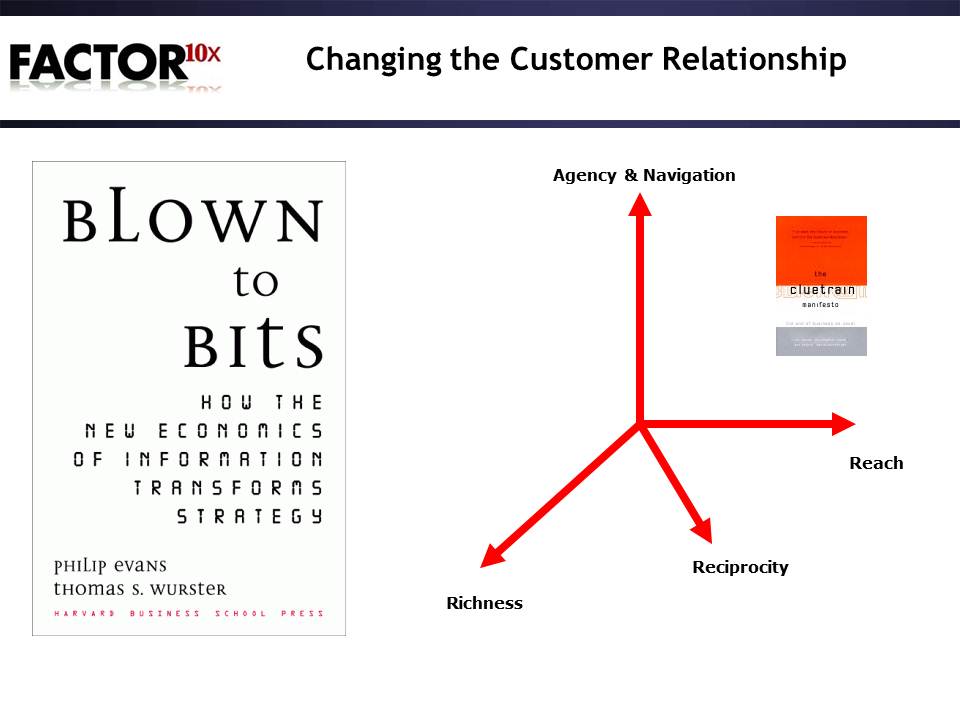
The interaction and terms that Kevin used reminded of Evans and Wurster’s book Blown to Bits: How the New Economics of Information Transforms Strategy. I really liked their dimensions of Reach, Richness and Reciprocity.  To these terms I added the notions of Agency and Navigation from The Cluetrain Manifesto.

Reach is the penetration of channels and markets to the target consumer of your information.  Richness is the total information flow in all forms of digital media – text, audio, video, and mixed media.  Reciprocity is whether or not there is an exchange of value between the information generator and the information consumer.  Agency is the reputation of the information provider.  Navigation is how easy it is to move through the information flow. Lexblog is showing the way for how to innovatively manage these attributes to create valuable business relationships.

From Twitterific to the geographic search within Twitter (who is tweeting right now within one mile of the Seattle Mariners Safeco Field) to Muckrack (identifying journalists using Twitter) to tools for organizing the thousands of following and followers into manageable lists, a wealth of tools exist to generate relationships.

As we parted, I was a believer in the core of Lexblog’s philosophy of “good, timely content creates great relationships” more than ever.

There is just so much to learn to stay current on what is important to me.  Without a strategic network it would be impossible.

Posted in Intellectual Capital, organizing, Relationship Capital, social networking | 1 Comment

First, Second and Third Raters

Every startup expertise blog or book starts with telling you how important talent is in hiring and shaping the team that is going to drive the startup.  The authors assert that you should always hire “A players.”  How do you know when you are interviewing or listening to recommendations whether you have an “A player” or a “D player?”

With tongue only slightly planted in cheek, the following is a guide to what I call first raters, second raters, and third raters.  Enjoy the distinctions.  Hopefully you will add more of these distinctions through your comments.

  • A first rater always develops talent
    • A second rater micro manages talent
      • A third rater abuses talent by making them work on menial tasks for long hours (or does not recognize whether someone has talent or even understand that they should be looking for talent).
  • A first rater encourages active and confronting dialogue
    • A second rater tries to keep the peace or does nothing
      • A third rater is an abusive confronter and acts as dictator brooking no dissent.
  • A first rater actively seeks current reality– what is really happening now
    • A second rater hopes that things will turn out all right
      • A third rater continually changes the goals to reflect what they’ve just accomplished.
  • A first rater seeks first to understand, before trying to be understood
    • A second rater lectures and doesn’t listen, wanting to be understood and not caring about other points of view
      • A third rater doesn’t listen, rather they rant and dictate.
  • A first rater accepts responsibility when things go wrong
    • A second rater avoids responsibility and accountability
      • A third rater blames others.
  • A first rater is inclusive and uses “we” when things are going right and gives specific attribution to those who made the good thing happen
    • A second rater uses the royal “we” when things go right but makes sure everyone knows it was really them that made it happen
      • A third rater uses “I did it” when things go right, “You” when things go wrong and uses the word I almost exclusively for everything else.
  • A first rater has a vision and a passion for and a plan for getting to BHAGs
    • A second rater has a vision and a passion for how they will get promoted
      • A third rater figures out how to take credit for someone else’s leadership and results.
  • A first rater understands that leadership is always taken, never given
    • A second rater waits to lead until somebody gives them a title and positional authority
      • A third rater whines and rants and backstabs by letting everyone know that nobody understands that they are the real leader and the key to success.
  • A first rater uses the Outcome Frame (What are we trying to create?  How will we know we created it? …)
    • A second rater uses the Blame Frame (What is the problem? Who caused it? …)
      • A third rater accuses others of being unethical, liars and cheaters.
  • A first rater understands that it is results that matter not how hard somebody works
    • A second rater comes in early and stays late and makes sure everyone knows how hard they are working
      • A third rater requires others to always be present, work late, while he/she is out playing customer golf and drinking late into the night and calling it work.
  • A first rater respects others time, and plans carefully
    • A second rater creates lots of meetings with no agendas and lots of floundering
      • A third rater triple books themselves and leaves others to wait until she shows up and graces everyone with her presence.
  • A first rater eliminates and dissolves problems so that no one even knew there was a problem looming
  • A first rater adds creative energy to every environment they participate in
    • A second rater uses others energies to get ahead
      • A third rater sucks all energy from the environment.
  • A first rater understands the Theory of Constraints (from Eli Goldratt’s The Goal) and knows that in any system only a few work steps need to be managed
    • A second rater will try to optimize every single step in every process and therefore optimizes nothing
      • A third rater doesn’t even see that there is a system of work.
  • A first rater hires only Talent that has a passion for continuous personal development – life long learners who are also good at developing other people’s Talent
    • A second rater hires only “A” talent that are self-proclaimed experts in a narrow domain who are not interested in learning and assumes the best athletes will make the best team
      • A third rater hires only C, D or E talent.
  • A first rater under promises and over delivers
    • A second rater over promises and under delivers
      • A third rater promises whatever they think the boss wants to hear and never delivers.
  • A first rater treats everyone with extraordinary respect
    • A second rater shows respect only to those above them in the hierarchy or those they think can get them ahead
      • A third rater disdains everyone.
  • A first rater understands the value of strategic networking and gives to the network long before they need to extract value from the network
    • A second rater only works their operational network to get today’s task done
      • A third rater tries to use other people’s networks to get ahead.
  • A first rater understands the dynamics of value exchange relationships
    • A second rater tries to extract more value from the other party than is given in return
      • A third rater uses positional or monopoly power to extract unfair value which cannot sustain the other party.
  • A first rater provides feedback on things which need improvement in private and with frameworks which allow the other person to generalize and learn and develop
    • A second rater points out the problem in private but offers no guidance on how to improve
      • A third rater humiliates the “problem” person in very public settings.
  • A first rater generates plans and organizational structures which are sustainable without the leader present
    • A second rater generates plans and organizational structures which require the manager to always be present in order to be workable
      • A third rater generates plans and organizational structures which cannot work and leads to the firing of the subordinates for not getting work done.
  • A first rater shares all information and knowledge they possess to help develop others
    • A second rater expects others to keep information and knowledge so that they can go to the others on an interrupt basis when they need something
      • A third rater hoards all information and knowledge and requires everyone to grovel to get the information.
  • A first rater creates work environments that lead to sustainability for the planet
    • A second rater uses natural resources without any thought to their impact on sustainability and the planet
      • A third rater actively and intentionally pollutes.
  • A first rater understands that no human is exactly like him/her and that one needs to be flexible in dealing with talent (see David Keirsey Temperament Indicator)
    • A second rater expects everyone else to adjust to them
      • A third rater believes everyone else is just like him/her.
  • A first rater practices deep listening skills always
    • A second rater listens with “their motor running” just waiting for their turn to say something and does not pay attention to the other person.
      • A third rater reads email messages on their blackberry when someone else is talking.

My brother, who went to work for our “Australian brother” seeding 10,000 hectares of wheat in Kunnonoppin, West Australia, having never driven a monster tractor or 18 wheel truck before contributed the following:

  • A first rater jumps on a seeding tractor in West Australia with no instruction and goes “Good on ya mate” and proceeds to seed wheat for six weeks of 12 hour days
    • A second rater tries to get four days of instruction on how to run this big tractor and all these trucks that drive on the wrong side of the road and wants to wait for their commercial driver’s license
      • A third rater jumps in the tractor and promptly takes out several acres of fences and busts the augers.

Barney Barnett generalized the notion of first, second or third rater to:

  • A first rater is 10X.  They break the old command and control mold.  They are transformational.  They create brand new paradigms and enable others to do the same.
    • A second rater is able to understand and add a “factor”.  They have a step function increase in the ability to get leverage, develop people and ideas and move into a new paradigm (as compared to a third rater).
      • A third rater is a pre-Edison manager or leader.  They come from the old command and control model.  They need clear definition of what you are stating as the old paradigm to move away from.

David Socha asked himself “What is the essence of the first rater, second rater, or third rater?”

  • A first rater is generative
    • A second rater is self-centered
      • A third rater is a destroyer.

Additional entries from my strategic network of wonderfully creative colleagues:

  • A first rater does not draw attention to their first rater status
    • A second rater promotes their own perceived first rater status
      • A third rater sabotages others’ first rater status.
  • A first rater works proactively to create an environment where innovation and technical accomplishment are anticipated, appreciated and celebrated
    • A second rater markets pedestrian accomplishments as important achievements
      • A third rater identifies barriers and risks and claims that stopping work to avoid risk is an accomplishment.
  • A first rater hires exceptional people with exceptional capabilities and manages the differences that exceptional people exhibit
    • A second rater hires well balanced employees accepting a uniform average as a strong team
      • A third rater hires compliant employees and encourages them to conform to the pretense of excellence.
  • A first rater identifies and clears barriers before the team runs into them
    • A second rater clears barriers after the team runs into them and seeks recognition for heroic problem solving
      • A third rater identifies risks and uses them for excuses to move more slowly, cautiously or stopping altogether.
  • A first rater changes the rules to create an outcome that meets or exceeds organizational expectations
    • A second rater does heroics to win playing by the rules.
      • A third rater doesn’t win.
  • A first rater leads from the front like a seal team leader
    • A second rater manages from the back like an army general (Rear Echelon Mother F****er – REMF)
      • A third rater doesn’t lead at all.
  • A first rater shows up for important events and serves the team in time of crisis; they are part of the team
    • A second rater publicly recognizes important events and accomplishments
      • A third rater doesn’t know when significant accomplishments are claimed.
  • A first rater is focused on outcomes, not the tactics to accomplish them
    • A second rater focuses on the successful accomplishment of tactics
      • A third rater continuously replans to make the desired outcome match the accomplished tactics.
  • A first rater isn’t rewarded because there weren’t any heroics to be performed; their contribution isn’t recognized
    • A second rater receive bonuses and promotions because of their heroics
      • A third rater costs everyone else their bonuses.
  • A first rater may continue to try and change the rules, lead, and be a team player but may become frustrated and/or leave due to second-rater influence
    • A second rater will continue to hire other second-raters.  And so second-raters become the yeast in the organization that causes it to atrophy over time, killing innovation and accomplishment
      • A third rater is the only one left in a decaying organization.
  • A first rater makes the right thing happen at the right time
    • A second rater notices that something happened that will change their routine (I’m flexible so long as you don’t change anything)
      • A third rater wonders what just happened.
  • A first rater believes that the upside to listening is always greater than that of speaking and therefore typically listens to others and digests their thoughts before speaking themselves
    • A second rater gives the appearance of listening to others but is really just thinking about what they want to say
      • A third rater always wants to speak first so as to show everyone how smart they are.
  • A first rater implements processes and procedures where they believe it will facilitate achieving a business objective
    • A second rater implements processes and procedures because they think that implementing processes and procedures is the business objective
      • A third rater avoids implementing processes and procedures because they will possibly detract from the heroic effort which illustrates their individual value.
  • A first rater works with the personalities of their team (but challenges personal growth as well as professional growth)
    • A second rater does not address the difference in personalities that exist in any team
      • A third rater tries to force changes to the personalities on the team.
  • A first rater shows compassion for the person in all of the challenges that life brings each of us
    • A second rater ignores life outside of work
      • A third rater drives compassion out of the organization by driving work without regard to the person.
  • A first rater always reacts the same – giving the team a trusting environment in which to concentrate on themselves and their work
    • A second rater does not attempt to react consistently
      • A third rater lets emotions drive each response – keeping the team tense and on edge.
  • A first rater embraces change and encourages the team to take the opportunities that come with each change
    • A second rater ignores change and tries to keep the illusion that everything is the same
      • A third rater uses change to drive their own growth or to scare the team.
  • A first rater shows vision, inspires and leads their team towards worthy goals
    • A second rater manages a project by deliverable dates and resource tracking and scheduling
      • A third rater acts on whatever random “opportunities” come their way.

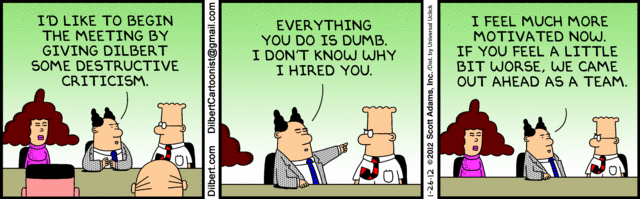
Can you determine whether the Dilbert “boss” is a first rater, second rater, or third rater?

Destructive Criticism - January 26, 2012

As part of Harvey Brightman’s Master Teaching class, he presents “compare and contrast” as demonstrating one of the higher forms of learning goals.  I found the comparing and contrasting of the first, second and third raters as a good fit for my learning style to better understand what a “first rater” should be about.

Adam Feuer, a recent addition to my visible university of colleagues, prefers another approach which is to create aspirational lists.  He did a wonderful job in translating the above “first, second and third raters” into an inspirational list of striving for greatness.

What would you add to this list?  What distinctions do you encounter that separate the first, second and third raters?

Posted in Humor, Learning, organizing, Relationship Capital, User Experience, Working in teams | 1 Comment

Attenex Patterns History – The Critical First Year

A successful product has many parents.  No one claims a failed product.

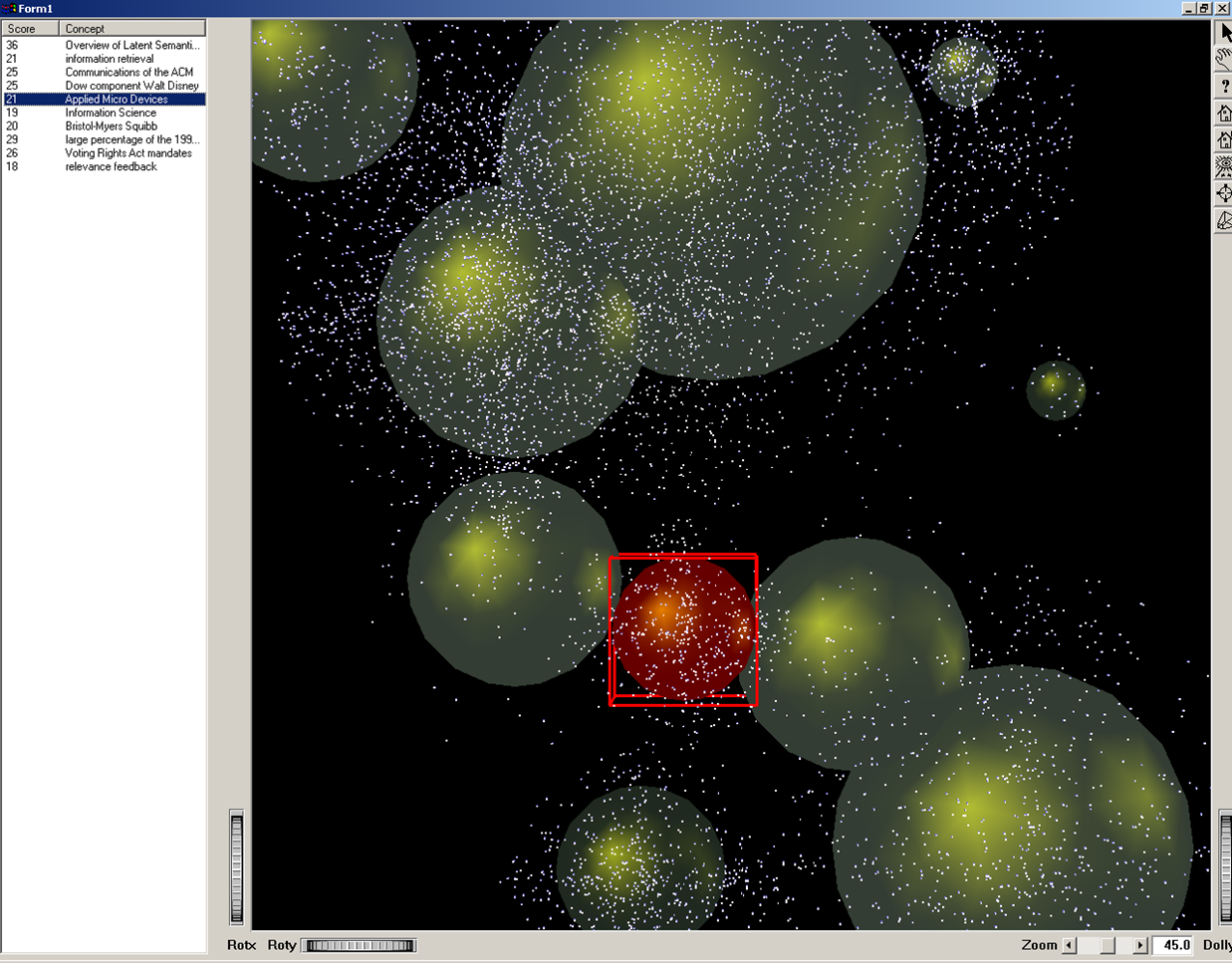
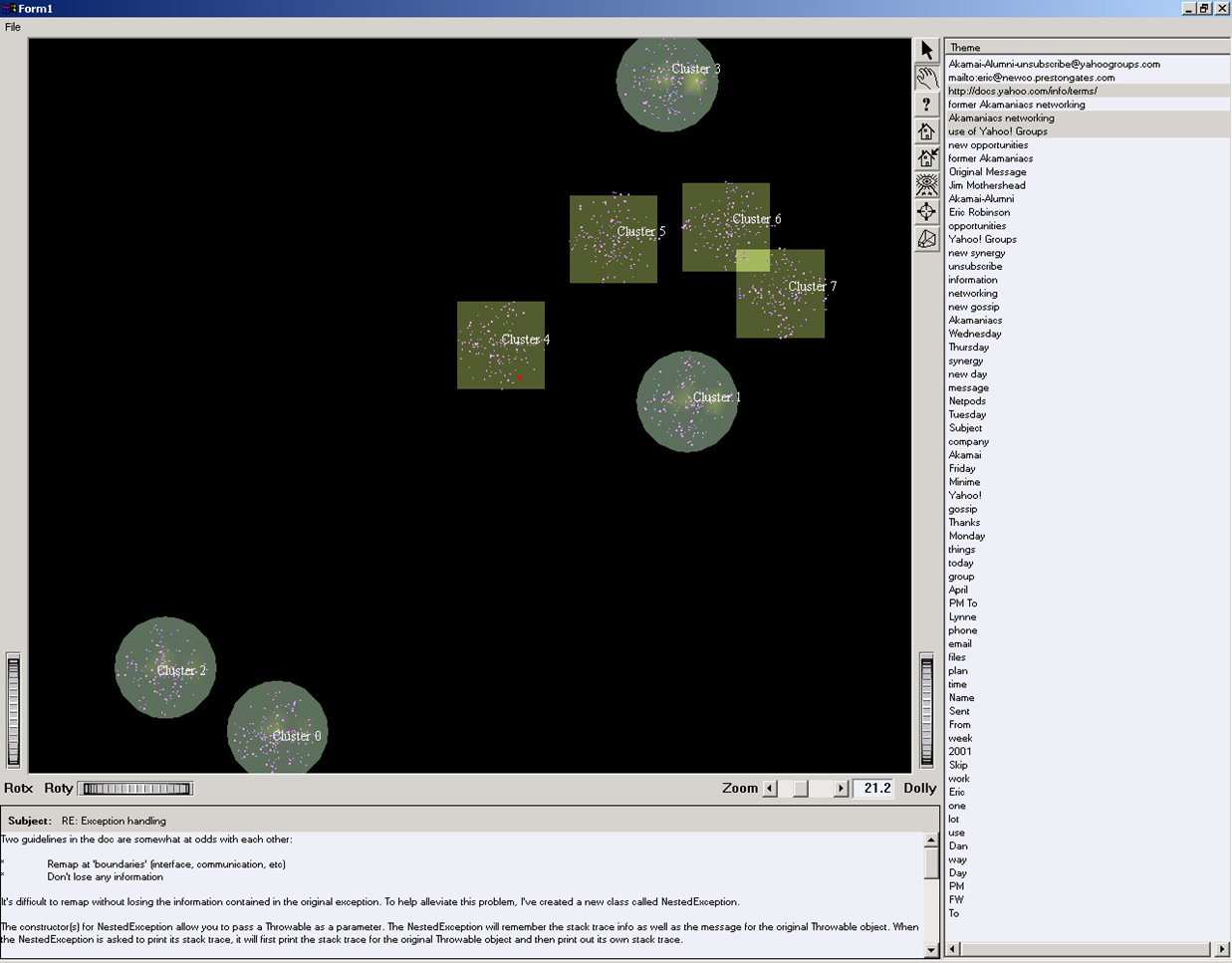
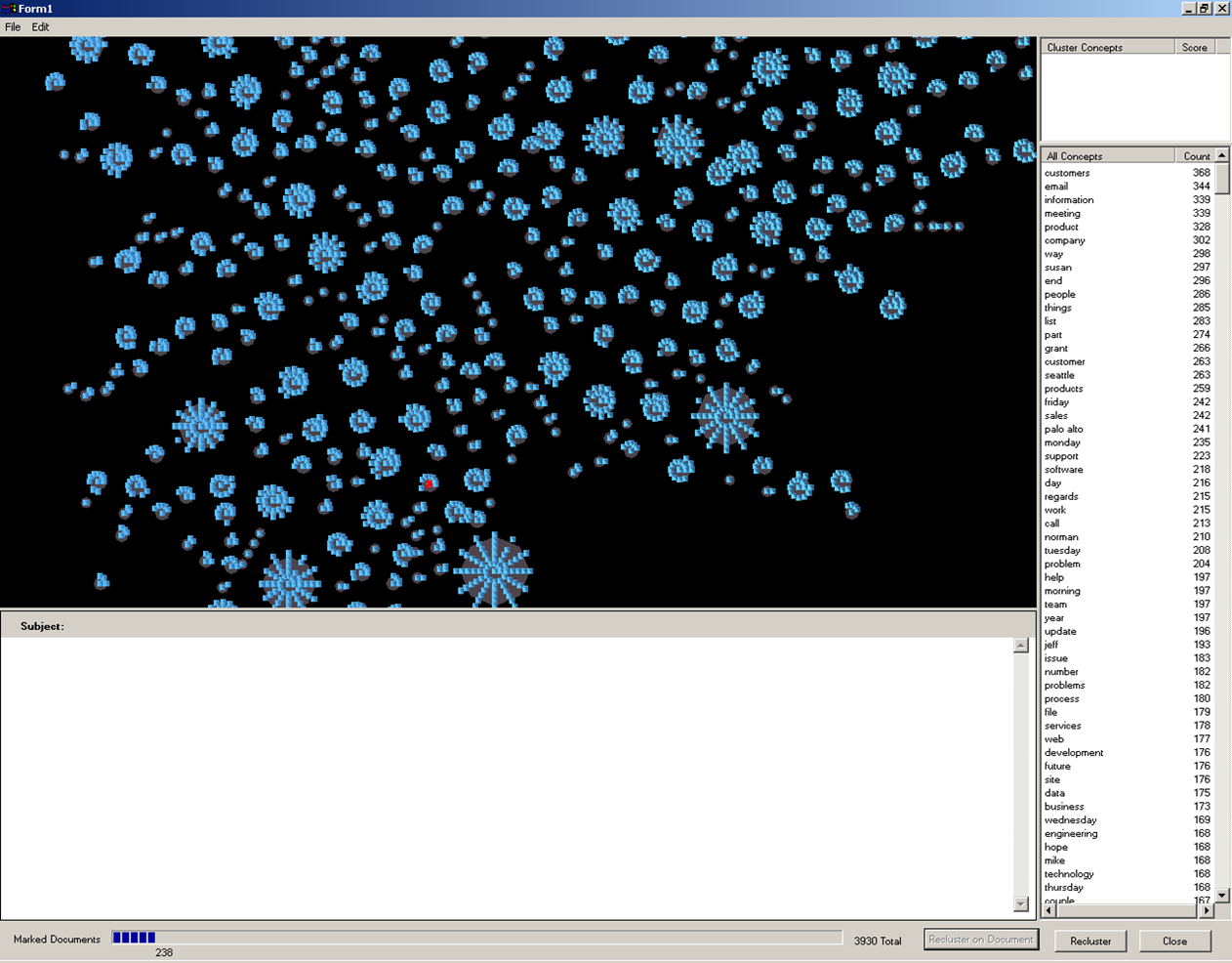
Attenex Patterns was both a successful AND an innovative visual analytics product. The seeds of the success occurred for six months before and after the founding of the company. The creation of the company and the creation of the product represent forty years of lessons and mentoring come to life.  This chapter in the Attenex history provides a context and a framework both for what went into the success, and a reflection on what we learned on the wild ride.

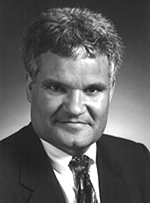
Marty Smith

Like all good companies, you try to shape and control your story. The public story of how Attenex came into being can be found in the AmLaw Technology article “Seattle Sleuth” published in the Winter of 2003. This article was aimed at promoting Preston Gates and Ellis (now K&L Gates) as much as it helped to promote Attenex.

In the early spring of 2000, Marty Smith (partner at Preston Gates & Ellis) was on his semi-annual visit to Pacific Northwest National Laboratory (PNL) in Richland, WA, which is operated as a part of Battelle. Marty was at PNL as part of his role with the Washington Software Alliance (now the Washington Technology Alliance).  The visits were set up as part of PNL’s efforts to make other Washington software industry professionals aware of their work so that they might make connections to their innovations which might then be commercialized.  As Marty sat through six hours of presentations by one group after another, he was enthralled with the SPIRE tool (now IN-SPIRE) and related projects.

SPIRE was a tool developed for the CIA, NSA, DIA, and FBI to analyze documents and display the documents in an abstract three dimensional space.  SPIRE worked on expensive SUN workstations and was essentially a single user system for individual analysts.  As Marty was watching the demo, he connected this potential solution to the explosion in costs for electronic discovery for litigation that Microsoft was encountering.  He asked whether the same tool could be used to process emails.  They said sure and showed him an example.

While Marty was not a litigator, he was on the Preston Gates and Ellis committee that managed the dealings with the Microsoft account and he was well aware of the demands from Bill Neukom (formerly Microsoft General Counsel) to help stop the exponential increase in the cost of electronic discovery.  Martha Dawson (Preston Partner and head of the Document Analysis and Technology Group – DATG) had done an excellent job in continually improving the process used for electronic discovery through creative processes like going to a contract pool of review attorneys instead of using expensive associates and partners to do a review.  Yet, everyone was realizing that continuous improvement does not begin to keep up with steeply rising costs due to the exponential rise in the volume of Microsoft email.


David McDonald

Full of excitement, Marty came back to the litigators (Martha Dawson and David McDonald) and shared his observations about this great tool at Battelle that could really help reduce the costs of electronic discovery.  When they asked how, Marty explained how the document analysis and visualization would make it much easier to see which documents were related to each other and then be able to quickly bull doze out the junk.  They stared back at him and basically dismissed that it would have any effect on their well honed process.  But Marty at least got them to agree to visit PNNL and view a demo of the technology.  A month later they did and while impressed with the eye candy, the litigators still didn’t believe that it would help them with their problem.

The Enemy - Floors of Bankers Boxes of Documents

Gerry Johnson

Knowing the extent of the problem at Microsoft, Marty knew he couldn’t give up and the firm couldn’t afford to lose the revenue if Microsoft decided to move reviews to another law firm or offshore.  In addition to his role in the Technology and Intellectual Property (TIP) practice at Preston Gates, Marty was also Chair of the Working Smarter committee.  This committee looked for ways that Preston could improve their bottom line through the application of technology.  This effort was a result of Gerry Johnson’s initiatives once he became Preston Gates Managing Partner to leave a legacy of innovation behind as his lasting contribution to the firm.  So out of this committee’s budget, Marty decided to buy a SUN workstation to test the SPIRE software with Martha Dawson and DATG (now K&L Gates e-DAT Group).

The SUN workstation arrived in August, 2000, and Martha agreed to assign one of her matter leads (Gregory Cody) to do a matter on the SUN that had been previously reviewed.   With synchronicity afoot, Marty and I met at a working dinner on Bainbridge Island for the BEST Foundation that our wives were officers of.  Marty was my contracts attorney when I was VP of Engineering at Aldus Corporation.

While standing around making small talk, I asked Marty what he was up to these days.  In his usual exuberance, he related that he was really excited about the technology projects he was overseeing.  “We are doing some really interesting work with information visualization, computational linguistics, natural language processing, knowledge management, data mining, and complex document assembly.”

I laughed and said “I didn’t know there was a single lawyer that could string those terms together, let alone have some understanding of what they mean.”  Having just left Primus Knowledge Solutions and in the process of forming my own consulting company, I said that I would be interested in coming by to see what they were up to and get pointers to the Battelle folks so I could go learn more about their tools.  We did the perfunctory, “sure let’s keep in touch” and said good night.

The next morning I got a call at 8am from Marty asking me to get my rear end into Preston Gates in Seattle as soon as I could.  He had described my skills to Gerry Johnson and told him he thought I would be just the right person to help Preston Gates evaluate the technology.  He also said that if the technology worked, Preston would be very interested in forming a company to bring the technology and solution to market.  So he wanted to make sure that I looked at the evaluation both from a technology standpoint and from a business formation standpoint.

Within a couple of weeks, Gregory Cody had managed to process a part of a recent matter that DATG had reviewed.  The preliminary statistics were amazing.  With a tool designed for something else, he was able to get two to three times the productivity versus the current way of looking at things one email at a time in Outlook.  He did not miss any documents that had been found with their current method, and he found several responsive documents that were missed by the linear review process.  Everyone was blown away at the implications and at the big jump in productivity.  With this first test and a tool not designed for this purpose, we’d gotten a 200-300% increase in productivity and better quality in an already innovative environment that had worked very hard to get 10 to 20% productivity improvements each year.

Now that we knew we were on to something the evaluation effort picked up a lot of steam.  We brought in four more lawyer reviewers and trained them on the technology and bought a few more SUN workstations.  This group went through five more matters of differing degrees of complexity to see if different reviewers on different matters could achieve the same kind of productivity and quality gains.  All of the tests were successful.

In parallel, we started negotiating with Battelle to get the changes that were needed to put the system into production and to figure out a business relationship for moving forward.  On the technology front, SPIRE needed a lot of work on the importing and exporting side to eliminate several manual steps that the Preston Gates IT people were having to go through.  One of the key issues was to develop a way to dedupe the materials being fed into the analysis engine to further reduce the amount of material that the attorneys would have to review.

If you think about the nature of email, there are a lot of duplicate emails within an organization.  When I send an email to somebody there is a copy in my outbox and a copy in your inbox.  If I send an email to several people, the duplicate email problem gets exponentially larger.

We quickly learned that Battelle was not able to move at the speed of development we needed.  We wanted to move at Dot Com speeds while they were used to moving at government speeds or “furlongs per fortnight.”  As a result, David McDonald finally got fed up and over a weekend did a visual basic program to dedupe Outlook/Exchange .PST files.  This program eventually became something called MiniMe and was put into production by Kim Church’s IT group within a few weeks.

I have to admit that I felt pretty embarrassed that a senior partner with Preston Gates would sit down and write a program to do the deduping.  As long as I have been away from coding, that option would never have occurred to me.  I marveled at David’s skills to be both a lawyer and a good technologist.  A few weeks later I found out a bit more about McDonald.  I knew from my previous interactions with him that he was a renowned intellectual property litigator and that he and his litigation partner, Karl Quackenbush, had been the litigators representing Microsoft in many of their high visibility IP cases.  What I didn’t know was that David was so bored while he was at Harvard Law School that during his second year of law school he went over to MIT and got a Masters in Computer Science.

While we were getting all of the good news from our testing of SPIRE, on the business front we were getting nowhere.  When we started we assumed that we would set up a joint venture with Battelle to pursue the commercialization of the technology.  They would do the product development and we would do the sales, marketing and support.  As time went by, they proved themselves to be both terrible and slow and not reliable at making their commitments to make the necessary changes to SPIRE that we needed.  When I did the code due diligence it became clear that SPIRE was a 10+ year old “spaghetti code” tool that would be very difficult to maintain and support.  They were rewriting the code for Windows NT (now called INSPIRE) which looked promising but it was still a single user version and we wanted to be able to have up to 50 attorneys working on the system simultaneously.

It became clear that they had no money to invest in the joint venture; all they could do would be to contribute their technology.  The joint venture would have to pay them to continue development of the technology and they would not give the joint venture any rights to the source code.  Then we found out that they had licensed the technology to two other spinouts (Cartia Themescape since bought by Aurigin and a biological systems visualization company OmniViz).  These spinouts did not have any market restrictions as to what markets they could supply the technology to, so we wouldn’t be able to get any kind of exclusive for the legal market.  In short, Battelle was not going to be a very good partner.

In parallel with these business activities I was doing a lot of research on what was publicly available on how to do information visualization and visual analytics.  I became convinced that it would be relatively easy to do the necessary document analysis and visualization from the ground up.  You needed a lot of computing horse power but the basic algorithms were published on how to get started.  Further, it was clear that you needed to take a database approach to the problem so that you could have multiple attorneys reviewing a matter at the same time.  I could not convince Battelle that this was a mandatory requirement.

The other fly in the ointment that we encountered was the business model that would let us make money in this environment.  We actually spent more time on figuring out a business model than on evaluating the technology.  When you have an application of technology that has 10X (10 times) levels of productivity improvements, one of the first things that you destroy is the business model of your customers.  Up to this point all of the eDiscovery reviews were done with hourly billing.  You counted the number of hours that the reviewers were working, multiplied by their hourly billing rate and sent the bill to the client.  Your profits end up being the delta between the billing rate and the labor rate with some overhead thrown in.  Yet with this technology even with only a 5X improvement in productivity, you would be cutting both your customers’ top line and bottom line by 80%.    We struggled for months to figure out how to solve this dilemma.  It is generally not considered good practice to destroy the business model of your customers.

In the end the answer was easy, but it sure took us a long time to see it because the “billable hour” is so wired into the legal profession.  We had to move to some form of fixed price model for billing.  We eventually hit on dollars per megabyte processed as the way to bill.  This also helped the customer budget because once they knew how much data they had in megabytes they would know what their bill was going to be.  So Preston looked at their historical billing rates in megabytes now instead of in hours, came up with their current billing rate and what their labor cost would be with the new technology at a 3X overall productivity factor, subtracted the two and then decided to split the difference with the client.  Thus, both parties won.  The customer got an immediate 30% discount on their billings and Preston got an equivalent uplift in their profits.  Further, Preston was now incented to be as efficient as possible in reviewing documents.  For every increase in productivity, their would be an equivalent gain in the percent profitability for the law firm.

The following diagram shows the progression of how the productivity evolved over time and how Attenex and our channel partners revenue increased:
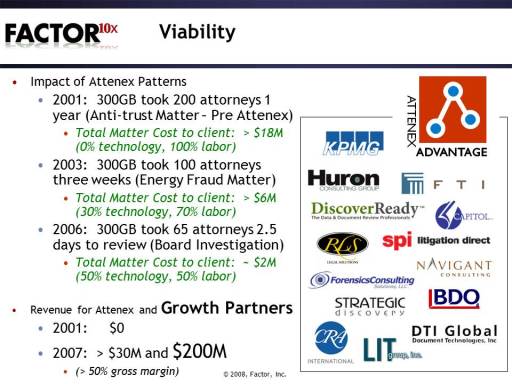
Viability of Attenex Patterns

It was now January of 2001.  The next big issue was how to fund and staff what was to become Attenex.  From the beginning of my involvement, I had put forth a skeletal business plan that estimated that we would need $10 million in funding to go through the first several phases of product and market development.   This business plan also called for traditional Venture Capital funding.  The problem was the economy was tanking and the Dot Com Bust was occurring so Venture Capital was drying up for new ventures.  In late January though we had a big breakthrough.  In working through the business model, we realized that if we could get to even 5X productivity increase, then Preston Gates could afford to fund the company with the excess profits they would make from the DATG business by using our technology – assuming that they continued to increase the amount of electronic discovery business they could generate from their clients.  Thus, Preston would have solved both their client’s problem of reducing the cost of electronic discovery as well as creating a new company that could generate additional value over time by selling the products to other law firms.

From a staffing standpoint, we were at a fortunate time.  Lots of good software engineers were available as the Dot Com Bust occurred.  My first choice for the key software engineer and architect of the products was Dan Gallivan who was at Akamai.  I had talked to Dan over the preceding several months to check my assumptions on how easy or difficult it would be to develop something like the capabilities of SPIRE.  He thought it was doable but that it would be harder than I thought.  I kept feeding him articles that I was coming across and as he began to understand the problem he was coming to the same conclusion I was.  However, he was happy at Akamai.  Then I got a call one day that Dan had just found out that he and his team would be laid off soon and that they would really like to continue working together as a team.  He wanted to know if Preston was serious about forming a company, because if they were, he felt he could bring his core team over to the future Attenex.

I knew that Preston was serious as we had made several business plan presentations to the Executive Committee and to the partners and that they were close to making a decision.  All along I was very clear that I had no interest in taking an active management role with the company as I wanted to continue with my own consulting firm and continue teaching graduate school.  I also wanted no part of being in a venture funded company.  Then when it became a possibility for Preston to fund the company I reluctantly agreed to be the founding CEO until such time as we were big enough for me to go back to focusing full time on the product.

Pure Potential - First Office Space

Everything came together the last week of March, 2001.  The Preston Gates Executive Committee approved the business plan and the funding for the new company.  We filed the articles of incorporation and we made job offers to the team of seven from Akamai.  We located some space next to the DATG group on the 14th floor of the Bank of America building and we opened our doors on Monday, April 1, 2001.  We had no desks, no computers, no office supplies, nothing.  However, we did have a great starting team consisting of:

We had plenty of flip chart paper and pens and we started designing the business, the organization, and the products.  By the end of the week, we had computers for everyone along with the desks and basics to start actually producing something.  We also had a name – Newco Inc.  None of us could believe that this name wasn’t taken when we went to file, but there it was.  We grabbed it.  It would have to do for a while until we could get a marketing type in to figure out a name for what we were up to.
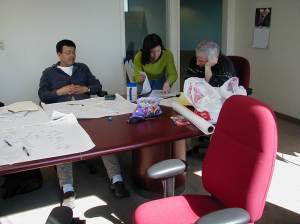
First Brainstorming Session (Kenji, Lynne, Skip) = First Helping of Candy

Formation of Newco – April 2001

While we were working the business plan side to form the company, DATG was putting the MiniMe deduping tool and the SPIRE application into production to do electronic discovery.  DATG was getting hit with an increasing volume of discovery and the combination of these two tools was helping stem the tide.  We knew it would take us awhile to have something that would go beyond SPIRE, so the first order of business was to clean up, make more robust and improve the performance of MiniMe.  So the engineering team replaced MiniMe with some serious Java code and within two months had the tool up and running and in production.  Our first product component, Redundancy Suppression Tool (RST) achieved our goal of outperforming MiniMe by a factor of 10.  Every one was quite impressed and quickly saw the benefit of hiring experienced software engineers.
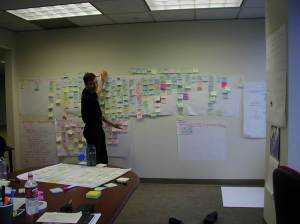
Multi-colored Post It Notes Documenting the DATG Workflow

During this hectic start up period, we ran into our first set of intellectual property and ethics challenges.  During the due diligence evaluation of SPIRE and Battelle, I had looked cursorily at the SPIRE code and had the Battelle folks give me general descriptions of their approach to analyzing and visualizing document collections.  Our attorney friends made it clear that we could not take any chances in imparting any of that knowledge to the engineers.  So I had to stay clear of the design process for Patterns and we had to make sure that none of the engineers ever saw the SPIRE application being used by DATG.  All I could tell the team was that we knew that the visualization of documents would dramatically increase the productivity of doing electronic review and that we needed a system that could handle multiple reviewers working on the same matter at the same time.  Thus the team would need to take a databased approach rather than the sequential file, in memory system, that was the basis of SPIRE.  While everyone was frustrated with these arrangements, the setting up of the Chinese wall was a great insurance policy against any threat of Intellectual Property violations.

First Cluster . . . of Software Developers

By late May, the team developed their first prototype of our document visualization tool, code named Haystack, as in finding needles within a haystack.  Certainly, the quick development of RST had impressed everyone but there wasn’t much to see.  With Haystack we had our first visualization and UI prototype.  The following diagram illustrates what seems so crude now:
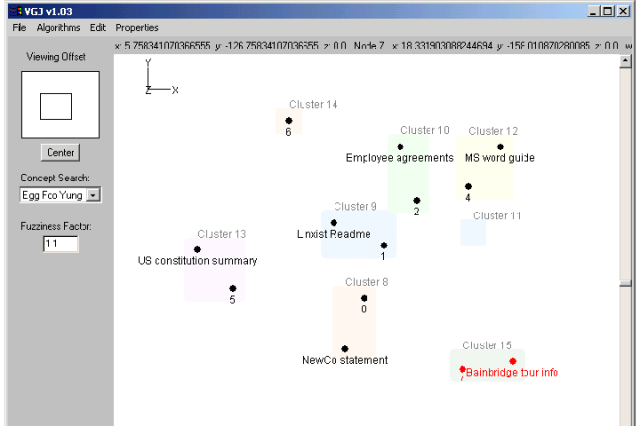
6/1/2001 - The Very First "Haystack" Prototype

The Preston partners closely involved with funding us were most impressed.  Yet, during the demo a light bulb started to go on for our Preston Gates funders: “If you could develop this so quickly, do we really have sustainable IP?  Can’t others develop the same thing as quickly as you just did?”  The following email captures the dialog with the Chairman of the Attenex Board, Gerry Johnson, explaining software innovation ups and downs:

—–Original Message—–
From: Skip Walter [mailto:skip@newco.prestongates.com]
Sent: Wednesday, May 23, 2001 11:08 AM
To: marty@prestongates.com; marthad@prestongates.com; davidm@prestongates.com; marywi@prestongates.com
Cc: Dan Gallivan; gerryj@prestongates.com
Subject: Haystack Visualization Demo

As part of my weekly meeting with Gerry I am going to show him a demo of the visualization prototype that we’ve been working on codenamed haystack.  The demo with Gerry is somewhere between 1 and 1:30pm.  If you get a chance, join us then or come down later this afternoon.  We’ll keep a copy of the demo available if today doesn’t work out so that we can show you later at your convenience.

The operative word here is that it is a prototype and is subject to all the unreliability aspects of early code.

We’re real happy with the way the architecture has turned out.  We’re disappointed with the visualization layer as the graphics package we used for prototyping (AWT) was pretty inappropriate for the task.  The other layers are working great and we can demonstrate the loading of Outlook/Exchange .PSTs into the SQL database, analyzing of those files, frequency calculations, clustering,  orienting, rendering the clusters to the screen, and then some level of manipulation.
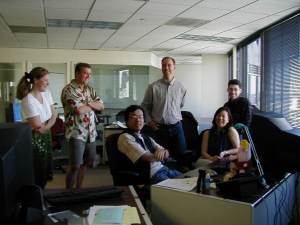
7/10/01 The Proud Parents of the Early Version - Holly, Jim, Kenji, Eric, Lynne, Dan

We’ve learned a lot in an incredibly short time and it appears that most of the architectural decisions that the team made worked out well.  We’re pretty happy with the early results from the compute intensive tasks of analysis, clustering and orientation.

Now that we’ve got a baseline we can start the user testing for the UI.

We’ll also show a quick prototype that we’ve done in Excel that looks at the direct manipulation of the key concepts which is leading us to believe that a mixed mode interface of the detail text and the visualization of the whole may be a better way to go.

I am simply in awe of what the team has done in less than three weeks of working the problem.  As we shift from technology centric design and work with the HCD team we should get to a very usable tool very quickly.

Look forward to seeing you soon.

Skip

—–Original Message—–
From: Johnson, Gerry (SEA) [mailto:gerryj@prestongates.com]
Sent: Wednesday, May 23, 2001 2:18 PM
To: Skip Walter
Subject: RE: Haystack Visualization Demo

thanks for the show Skip – sorry for the dumb questions

—–Original Message—–
From: Skip Walter [mailto:skip@newco.prestongates.com]
Sent: Wednesday, May 23, 2001 2:28 PM
To: Johnson, Gerry (SEA)
Subject: RE: Haystack Visualization Demo

There are no dumb questions in this realm.  What was impressive is how quickly you and David saw the potential of the concept frequency map.  I expect David to jump on those concepts because of his closeness to the problem.  The treat is when you find something that is pretty quickly understood by those who don’t spend all day close to this kind of problem.  From a software development standpoint, that’s when you get really excited.  So to see you “get it” so quickly and then start to ask great questions about how and where it could be used was wonderful.

Thanks again for your trust and support.  We’re racing to get this stuff into Martha’s hands to start making a real difference.

—–Original Message—–
From: Skip Walter [mailto:skip@newco.prestongates.com]
Sent: Wednesday, May 23, 2001 5:51 PM
To: Johnson, Gerry (SEA)
Subject: RE: Haystack Visualization Demo

One of the questions you asked today was whether this was a hard problem that we are working on. I gave you a quick answer.  Let me give you a little more reflective answer.

My assumption as to the intent of the question is “if we can get this far in 2-3 weeks then will others be able to replicate what we are doing in a relatively short amount of time?”

My answer gets at the paradox of software development and in many ways the paradox of any creative insight.  Over the centuries many things have seemed impossible until someone has the creative moment when an “Ah hah” shows up.  Once they reduce the idea to practice and show it to others, everyone goes “of course, why did we think the problem was so hard.”

What previously took a lot of work now becomes relatively easy to copy.

On one level, visualization of the magnitude that we are talking about is a very tough problem to crack.  I’ve been interested in the technology and its applications for well over 30 years since I first became exposed to EKG and EEG processing on a PDP-12 minicomputer with a graphics display.  Lots of great researchers and minds have tried to figure out how to do interactive visualizations that actually have some real world payback.  Good results have been few and far between in the white collar or professional office productivity arena.

As you can see by the many layers that we had to implement to get to the first level of a visualization tool, this is a problem that is difficult in many areas:

    • How do you make meaningful semantics out of a single document and a document corpus?
    • How do you relate documents to one another?
    • How do you display the results in such a way that you can see the whole and view the details?
    • How do you manipulate the display to achieve some domain specific result?

Even these four things have not been possible on their own until very recently, let alone be able to work together to produce what is needed for visualization.  In many ways the problem is similar to what Peter Senge describes about the development of the commercial aviation industry in his book The Fifth Discipline:  The Art and Practice of the Learning Organization:

“The DC-3 brought together, for the first time, five critical component technologies that formed a successful ensemble.  They were:  the variable-pitch propeller, retractable landing gear, a type of light-weight molded body construction called “monocoque”, radial air-cooled engine, and wing flaps.  To succeed, the DC-3 needed all five; four were not enough.  One year earlier, the Boeing 247 was introduced with all of them except wing flaps.  Lacking wing flaps, Boeing’s engineers found that the plane was unstable on take-off and landing and had to downsize the engine.”

Necessary and Sufficient

There are two things at least that are the key to our being able to race as fast as we are:

    • We have a real problem that is suitable to the technology.  For this we owe Marty Smith for his insight of connecting visualization to electronic discovery when he went to visit Battelle a year ago.  Then Martha and David and their crew picked up on the insight to show that it really did work.
    • The research on the component technologies (document semantics, computable clustering algorithms, and rendering software/hardware) is developing just as we are getting the cheap computing cycles, large screen displays, fast networks, and very large storage devices.

Thirty years ago when I was working on this problem, we had 8,000 words of memory (versus 512 megabyte personal computers today) on a computer that was 1/10,000 the speed of today’s computers.  Even five years ago there wasn’t enough computing power on a supercomputer to do what we showed you today on our desktop.

So at one level, the problem is quite difficult when you look at all the things that had to be solved before we could even start our development activity.  On the other hand, now that they are basically solved and we show people our tool then other people can more easily replicate it.

The other thing that comes into play is whether other people will be motivated to copy what we are doing.  There are “products” in the world that for one reason or another people just don’t copy.  Disney has shown people how to build a successful theme park for over thirty years, yet no other theme parks come close to the Disney experience.  At a much smaller level, Primus Knowledge Solutions has shown how to build a successful knowledge management product but nobody has decided to go after that market yet.

On the other hand, disk drive manufacturers rapidly copy innovations and technology from other manufacturers (see Clayton Christensen’s The Innovator’s Dilemma).  I haven’t been able to find a pattern to this range of competitive motivation or lack thereof in my own research or other studies.

On a more myopic note, last September when I started on this project my initial assumption was that the visualization was a very hard problem.
Starlight Visualization

Largely because I’ve been interested in it for 30 years and I haven’t seen anyone be commercially successful.  Then we saw a couple of good research projects with our Battelle friends in SPIRE and Starlight.  At first blush, both looked worthy of being the result of very bright people working on the problem for a very long time.  But for different reasons in each case, it became clear that if you started today with the advances in the above component technologies and research, then the problem was a lot easier to solve.  It appeared that you could replicate what they were doing in a matter of months.

Four months ago when I first talked to Dan about the opportunity and the visualization module and how long he thought it would take him to develop a tool, his answer was several person years.  I kept after him and kept pointing him to research papers and nothing was denting his estimates.  Then, something clicked once he saw the quality of the linguistic analysis packages like those from Inxight.  He realized the problem was more solvable than he previously thought.  His estimates to get to a prototype came down to person months.  Then, once he started on it, he realized that between the algorithms described in the research papers, Inxight’s LinguistX, the capability of the Microsoft SQL database, and the experience of the different team members that the prototype could be done in person weeks.  Even though Dan is a very experienced computer architect and graphics expert it still took him over four months to see that it was a matter of integrating ensemble technologies rather than having to invent all of the pieces first.

Lastly, as I’ve tried to convey several times, getting to a prototype, and even getting the tool into production is lots less time consuming then all the things it takes to come up with a generalizable product.

Yet, what excites us is that we now have more than enough of a working architecture to start doing quality design and usability prototype iterations with the target users and be able to turn those prototypes around quickly.  We have something that we can credibly show to others (like KPMG) that is all ours.

What I can’t answer is what others will do once they see what we’ve done as we put the product to use in other law firms and clients.  It probably comes down to economics.  Nobody will do much until it appears that there is a $100 million market.

Which brings me to the last example, how we came to understand the economics and business model of Adobe and Photoshop.  When we did the merger between Aldus and Adobe, we couldn’t wait to get to the point in the process where both sides shared their detailed financials.  The jaw dropping surprise for us at Aldus was the size of the Photoshop revenue stream.  The most optimistic market analyst pegged the total size for photo editing software at that time (1993) at $15 million per year.

Given that Aldus had $5 million of that market with our product Photostyler we felt we were in pretty good competitive shape.  Imagine our competitive embarrassment when we found out that Photoshop revenues were greater than $150 million per year.  Nobody knew.  That allowed Adobe to keep the market for so long because nobody else thought it was a very big market.

At this point what I am trusting is that we are at the confluence of the deep expertise that Martha Dawson and her team have built, along with the deep expertise that Dan and his team have, along with the continued increase in computing performance from software and hardware advances.  By being first in this arena given the above combination, I believe that we will be OK.  Staying first requires us to execute a marketing and sales operation as well as we are executing the product development task along with having a comprehensive vision for where this stuff goes.

Also, the lesson that I’ve learned from the association with the Institute of Design is the importance of having not just one innovation but a system of innovations.  Somebody may copy one or two of the things you do, but they can’t begin to copy the system.  A key part of my deciding that Attenex was the place to invest my time and talent was the wealth of ideas that Preston Gates has as a result of the Working Smarter initiative, along with my working relationship with Dan Gallivan and our ability to quickly generate a system of innovations.

What you saw this afternoon represents a very small portion of what we are crafting for a suite of innovations and products.  In much the same way that Mitch Kapor saw that Visicalc needed graphics and text (Lotus 1-2-3) in order to become an order of magnitude larger business and then Microsoft trumped their efforts by combining Excel with Word and Powerpoint to create an even larger business, I believe that between Preston Gates and Attenex we can articulate and build our equivalent of Microsoft Office. We will not get stuck like the Visicalc folks in thinking that their innovation would last forever as a viable business.

The above are some extended thoughts.  They keep me optimistic that we are on the right track and can succeed, but they by no means keep me complacent.

Thanks again for coming down this afternoon and seeing a snapshot of the progress we are making.

From: Johnson, Gerry (SEA) [gerryj@prestongates.com]
Sent: Wednesday, May 23, 2001 8:27 PM
To: Skip Walter
Cc: +Executive Committee (FIRM); Smith, Martin F. (SEA)
Subject: RE: Haystack Visualization Demo

Skip – thanks very much for this thorough and thoughtful response.  In its face, a substantive response defeats me other than to say that I had some insight into your eventual answer here, but couldn’t be more pleased to have this complete an explanation.   Thanks again.  I’m sharing this with our management committee and Marty.  G

While the demo was very impressive, we still had a long way to go.

As mentioned above, most of our development work to date was from a technology centered design viewpoint.  In parallel, the human centered design team was observing Martha Dawson’s DATG group to understand the overall workflow as well as the work of the individual document reviewers.

The overall HCD process we followed is:
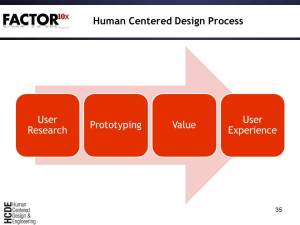
Human Centered Design Process

We rapidly iterated between the User Research and Prototyping phases.

The underlying graphics package we were trying to use did not scale nor did the algorithms that we were trying to employ.  We were struggling to get good performance on hundreds of documents while we knew that we had to display 10s of thousands to millions of documents.  So we switched from Java to C++ to get the best machine performance and decided to use OpenGL for our graphics standard so that we could do 2D and 3D information displays.  The following slides illustrate our progress in analyzing and displaying documents.

As part of our technology centered design focus, we believed that our ultimate visualization would need to be in 3 dimensions. We got very early indications that the lawyer reviewers were very uncomfortable with navigating and understanding a 3D abstract conceptual space.  However, as good technologists we figured that we could overcome this problem.  As it turns out, we never did.

We used a variety of tools to prototype 3D clustering.  The following screen shot looks at one of the prototypes we did in OpenGL to do quick interaction studies with potential users.  Just slightly more sophisticated than a paper prototype.
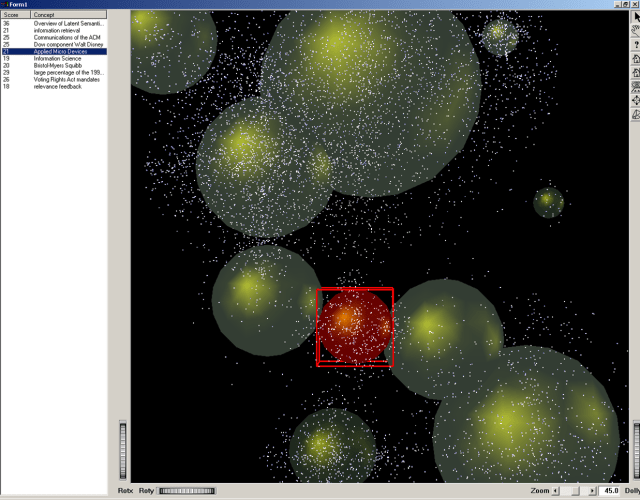
6/7/01 SeeMore Sketches

Now that we had some document processing going on, we could exploit different panes within the 3D interface to show different types of clusters in the overall document space along with a concept pane on the right and a mail message viewing pane on the bottom.  The core components of the user interface were starting to show up.
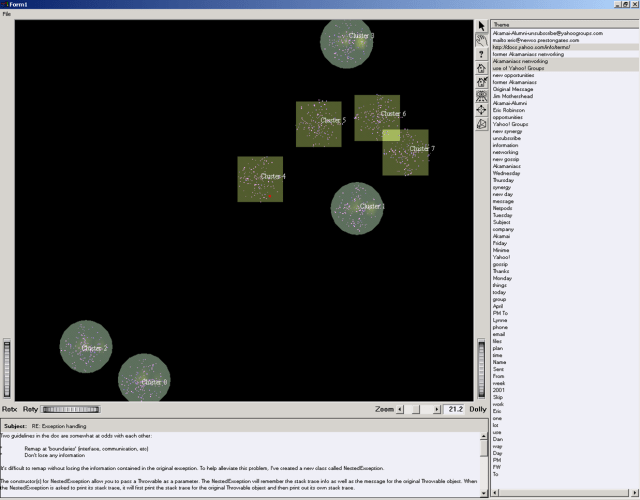
6/19/01 The First Real Clusters

With the basic components prototyped, it was time to experiment with large document collections, different styles of clustering, and what kinds of concept extraction we wanted.
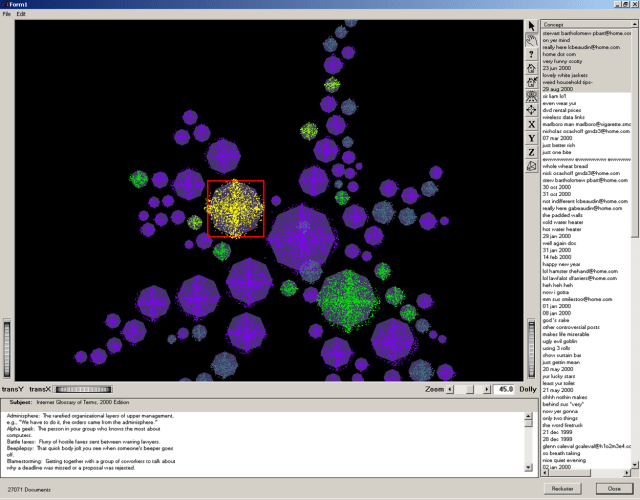
7/13/01 Clusters, Concepts, and Document Text

Over the course of a month, we tried more than 20 different types of concept displays but none were really helping potential users make sense of the information displayed.
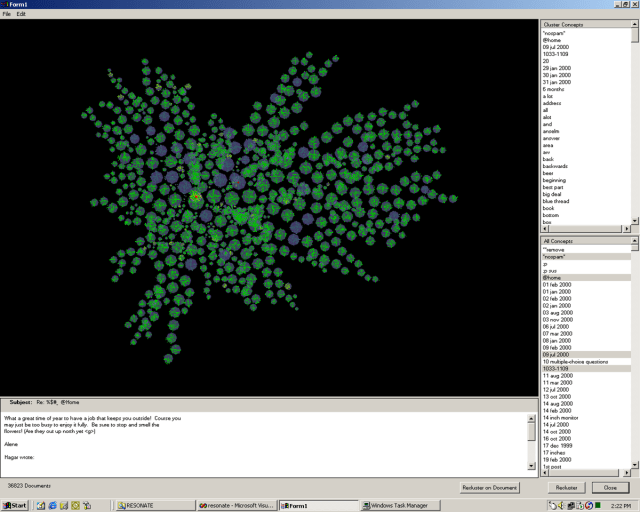
7/23/01 Kenjie's Prototype Pie Cluster Display

Now that we had basic capabilities it was time to experiment with what kinds of user interactions were required. We explored the different parts of the user interface to see which components should be actionable and what should happen when we clicked on a component.  Little did we know that for the next six years we would constantly have to tweak what it mean to do hit highlighting as we added or changed functionality. The more information you display, the clearer you have to be about what is activated.
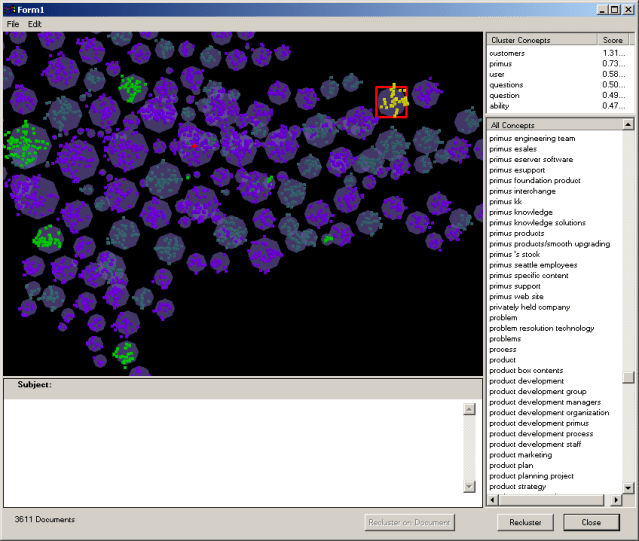
7/24/01 Clusters with Click Document Highlighting

Bill Gates, Sr.

An important value that Preston Gates brought to the development process was to bring technology industry luminaries by to get demonstrations of what we were up to.  One of the most fun demos that we did was for William H. Gates, Sr (yes, that is Bill Gates dad and one of the named partners for Preston Gates & Ellis).  Gates, Sr. would usually come by Preston Gates in the summer to address the summer associates about his views of what it means to be a lawyer. For this summer visit, Gerry Johnson persuaded Gates, Sr to come by and see that a law firm could fund innovative software development.  Gerry also wanted to give Gates, Sr. visibility into how large the eDiscovery problem was growing for Microsoft since Preston Gates did most of Microsoft’s eDiscovery work.

We prepared more extensively than usual for this demo.  By the time Gates, Sr., arrived to see the demo he was clearly quite tired.  I was concerned that since we were running late we would put him to sleep in a darkened room.  So I shortened by introductory slides and got right to the demo.  We showed the current state of the demo:

7/25/01 Demo for William Gates, Senior

Just at the point that I thought I had put Gates to sleep, he straightened up and looked at me and said “So how many lawyers does it take to annotate a given document and the collection of documents with all those concepts?”

I replied “No lawyers at all.  Our content analytics software is able to figure out all the meaningful concepts to each collection of documents.  Everything you are seeing was done automatically.”

He looked at me again like I hadn’t understood the question, “No.  Really.  How many lawyers did it take to mark up these concepts?”

I repeated “None.”

Bill Gates, Sr., then turned to Gerry Johnson and said “Gerry.  Really.  How many lawyers does it take to identify these concepts?”

Gerry answered “None.”

As the implications of what we’d just demonstrated dawned on him, he asked “Has anybody demoed this to my son Bill, yet?”

Nervously, we all answered that we had not demoed it to anyone at Microsoft yet.

Gates then almost shouted “Well, will you quickly go over and demonstrate this to him so he’ll quit writing those stupid emails that get him in all that trouble with the Justice Department?”

After we stopped convulsing in laughter, we went on with the demo.  Clearly, he understood the implications.

Until this point, we used proximity as the orienting principle both for clusters in the larger space and for documents within a cluster.  Proximity implied that documents or clusters that were close together were more related than documents or clusters that were far apart. While proximity worked at the larger view, it did not work well at the cluster level.  Proximity gave some information, but didn’t really give you a sense of how the documents or clusters were related. This screen shot shows our first prototype for orienting documents within a cluster.
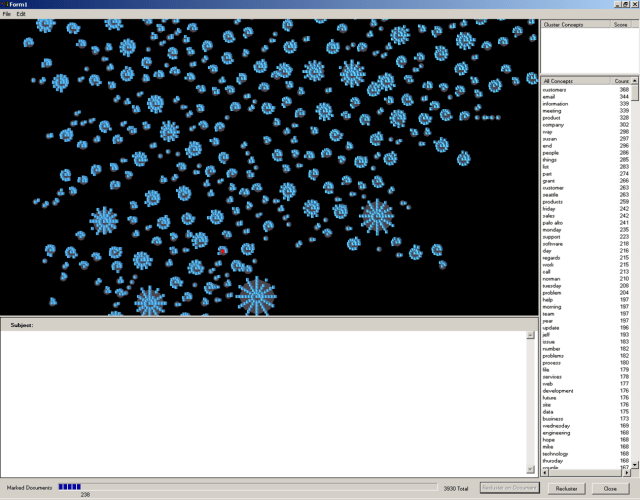
8/6/01 Orienting Documents within a Cluster

At the same time that we were working on clusters and orientation, we started working on both color and transparency.  Our users needed some way to distinguish the markings on a document (responsive, non-responsive, privileged …).  We wanted the transparency capability so we could show more information on smaller screens by having overlay areas (and it also looked cool).  We quickly found that we had to worry about human factors issues like color schemes for those with different forms of color blindness.
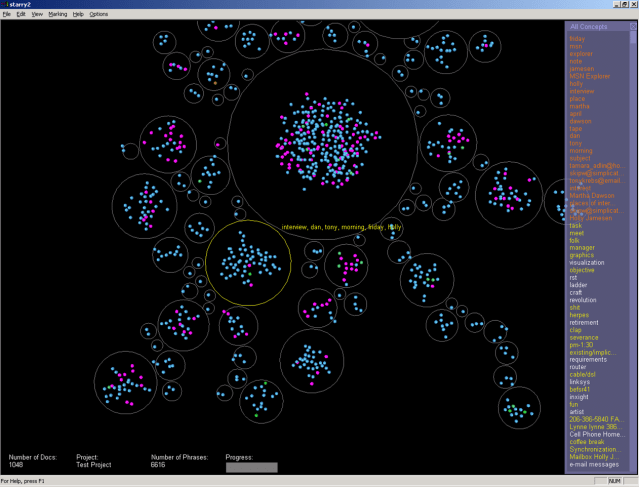
8/21/01 Need a little work on those colors HCD Folks

As we got the end of August, all of the many prototypes started coming together into a coherent whole.  We could content analyze the documents, store them in a database, display the documents in clusters and spines, color code the documents, show the key concepts, and display a document in a viewer.
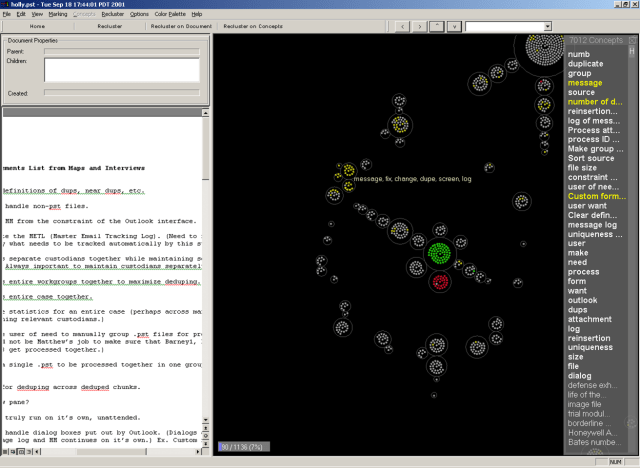
8/30/01 Full Document Viewing - Docviewer Shows UP

Once we had gotten this far, I could finally see a 30 year dream come true.  I wrote this memo to Attenex employees and to our Preston Gates partners at the end of August, 2001.

Email Message from Skip to Attenex Staff:  August 31, 2001

In life there are little things and big things.  In the context of business, August 15, 2001, was a “big thing” day for me.
In 1968 I was fortunate to get a job in a psychophysiology research lab at Duke Medical Center at the start of my sophomore year in college.  We ran experiments on human subjects looking at their physiological responses to behavior modification therapies and to different psychiatric drugs.  To better deal with experimental control and real time data analysis of EEGs and EKGs, we purchased a Digital Equipment PDP-12 (the big green machine).  It had a mammoth 8000 bytes of memory and two pathetic tape drives that held 256,000 bytes of storage.

Embedded in the rack of the computer was a big green CRT which could display wave forms as well as text.  A simple teletype device served as the keyboard.  While we were controlling the experiments, we displayed in real time the wave forms from the physiological data of the human subjects.  We experimented with multi-dimensional displays of EKG vs EEG vs the user task analysis.  It was so fun to get lost in “data space.”  [A former HCDE student, Denise Bale calls this “dating her data”.]

Along with doing all the programming for the lab experiments, I got to use the machine to play my first computer game (Spacewar).  It was so cool being able to control a space ship in the solar system and have it affected by the gravity of the planets on the CRT.  There was no mouse at that time, but we used several potentiometers and toggle switches to control the X, Y and Z coordinates along with the firing of guns.  Controlling green phosphor objects was a real feat for those of us who have no hand eye coordination.

One semester while procrastinating in writing several term papers, I wrote a text formatting application called Text12 which was modeled on Text360 for the large IBM mainframes of the time.  The formatting commands were eerily familiar to the HTML format that we know today.  The results of the activity were that I could enter and edit the text of my papers and then print them out on a letter quality device.  It eliminated all the messiness of using a manual type writer and white out.   Several times at 2am in the morning I hallucinated about the combination of Spacewar, Complex Wave Form Pattern Detection and Text12 to provide the ability to take the electronic texts that I was creating, analyze them and display them in three dimensional spaces by the relatedness of the concepts within the papers.  I got carried away thinking of a new document being indexed and “blasting” links throughout the galaxy of documents.  I could almost feel the gravitational attraction of the important documents.

Over the next 10 years as computer processing power grew from the PDP-12 to the PDP-11 to the DEC VAX computers (wow 4 megabytes of virtual memory space for a program and 60 megabyte hard disks), I would periodically do a midnight coding project to try and bring my hallucinations from 1968 into reality.  Nice idea but there was never enough algorithms, CPU power, or memory.  And there were precious few electronic text sources available to actually index unless I wanted to type them in myself.

As I became a manager and began to acquire research budgets, I would squirrel away a little money each year to see if the technology was ready to tackle the vision.  The technology was never ready and there was relatively little research into the indexing and display of document collections until the early 1990s.  The other side of the coin was that there was no clear idea of the business value of such a tool.  We’d use these prototypes to try and impress internal funders to create some larger research projects.  But nobody ever funded us beyond the prototypes.

During this time I hooked up with Russ Ackoff of the Wharton School at the University of Pennsylvania.  One of the many “idealized designs” that he worked on was a distributed National Library System that he published a book about.  This design called for all the texts to be in electronic format and available for searching.  A key feature of the system was to generate “Invisible Universities”.  That is, using the reference lists of published papers and books, find out who references whom.  This system could then create influence diagrams of idea evolutions.  I was really hooked then on the possibilities.

One of the many reasons I joined Primus a couple of years ago was to bring this vision to reality using the Primus Knowledge Engine as a foundation.  We even licensed the Inxight ThingFinder software to help us do the indexing we needed to automatically author “solutions” for our knowledge base.  We got started but it became clear that we had no visualization talent within the engineering department and no clear idea of the business driver for such a technology.

Which brings us to Preston Gates and Ellis (now K&L Gates) and Attenex.  Thanks to Marty Smith who connected this semantic indexing and visualization with the electronic discovery problem we now had the baseline tool to see the dream come true.  Thanks to the efforts of Eric, last week we were able to connect the indexing capabilities of Microsoft tools so that we could inhale MS Office documents into the document analysis tool and generate concepts from Word, Powerpoint, Excel, HTML, and Adobe PDF documents.  Then, we were able to load an Attenex Patterns Document Mapper database with my research papers from the last several years about customer profiles, document visualization and knowledge management.

Then Kenji and Dan figured out how to cluster long documents and normalize the frequencies of the concepts.  And Lynne added the final layer of being able to add a document viewing window for the multiple formats along with cleaning up the interaction with the concept window panes on the right side of the Patterns display.

At 5PM yesterday, I saw my 30 year dream come alive.  I was able to display my research papers.  I navigated around the clusters and the concepts.  And then when I selected on a document, whether it was MS Word or a PDF, up it would pop in its own document viewer.  Unbelievable.  The only thing missing is the ability to index the books that I have in my home library.

But synchronicity strikes again.  Just this week, Amazon.com started selling electronic versions of the popular management texts that are a core part of my library.  They come in either Microsoft reader or Adobe eBook format.  I quickly bought ebooks in each of the formats to see if we could index them.  Of course they are protected from that.  So close, so far.  But then it occurs to me, books are intellectual property.  I bet that someone in the Intellectual Property Practice at K&L Gates was involved in negotiating the licenses for some of the book properties.  Sure enough several folks in the group were.  So hopefully the last step in the journey of the dream is close at hand, the ability to not only pour my own writings and email, research reports, and published papers into the Attenex Patterns document database, but we can also get full length books indexed.

Now I will be able to SEE the idea and concept relationships between all these wonderful publications that I can only fuzzily keep in my human memory today.  I can’t wait to glean new insights as I index more documents and as I use the re-cluster on anchor documents to see relationships I’ve never been able to see before.  I look forward to being able to publish meta-data about a corpus of documents and open up a whole new field of Document Mining.

As a researcher, teacher, and business person, yesterday was the happiest day of my professional life.  My heartfelt thanks to all of you who’ve helped bring these concepts to life.

Skip

Well, we were really cooking now.

In the last year (six months before company formation and six months after formation), we’d gone through the first three phases of the HCD process – user research, prototypes (paper, behavioral, and appearance) and value (monetization and supporting human values).  Now it was time to turn to the other 90% of software development – user experience and turning a prototype into a product.


Posted in Attenex, Attenex Patterns, Content with Context, eDiscovery, Human Centered Design, Idealized Design, Intellectual Capital, organizing | 19 Comments

What process should we use?

“The future is not a choice among alternative paths offered by the present, but a place that is created – created first in mind and will, created next in activity.  The future is not someplace we are going to, but one we are creating.  The paths to it are not found but made, and the activity of making them changes both the maker and the destination.”  – John Schaar

I am often asked by colleagues either to facilitate a process or to recommend a process that  they should use for some planning effort.  Over the last forty years, I’ve participated in many planning activities (most poorly facilitated with poor results) and facilitated many more.  The value of the result is directly proportional to the thoughtfulness in selecting the right process AND selecting and preparing the participants.  In recent years, very few management teams are willing to spend more than half a day in any kind of planning meeting.  So the selection of a process has to accommodate the time demands of the participants.
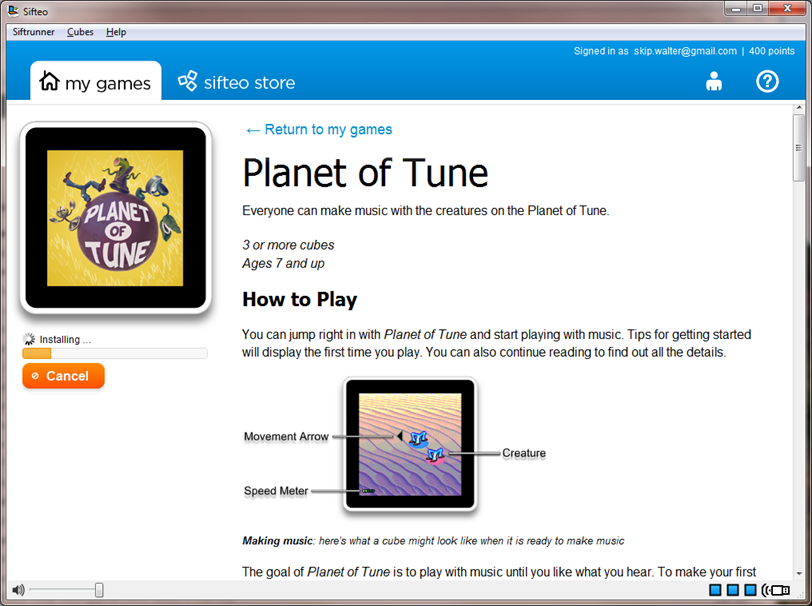
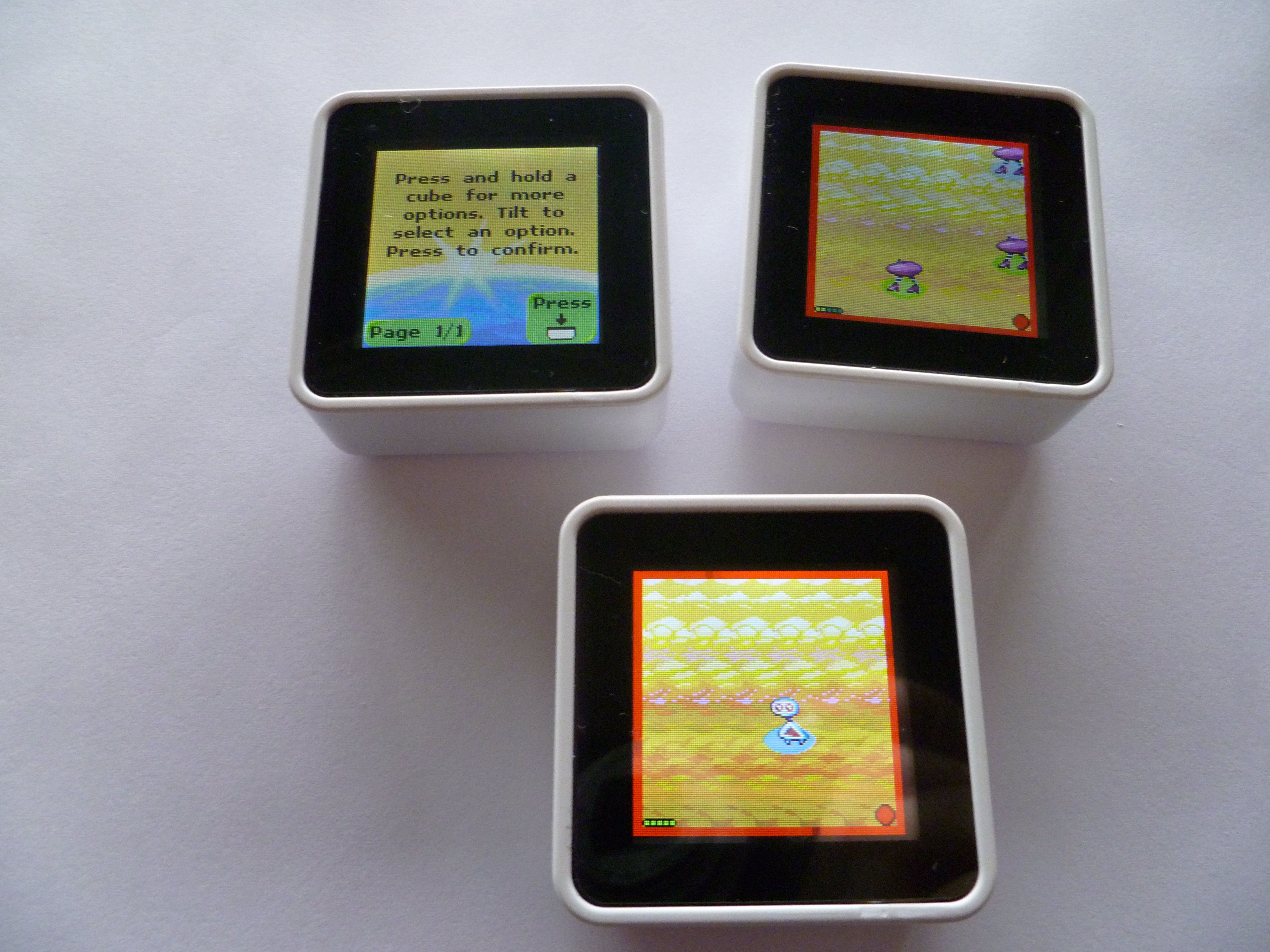
As I reflect on the hundreds of processes that I’ve learned or created for the needs of a particular group, there seems to be two primary forms.  One form relies on what Robert Fritz calls “structural tension.”  This form is most powerful when combined with Gregory Bateson’s “difference that makes a difference.”

    • What is the current reality?
    • What is the desired future state?
    • What are the differences between the two?
    • What is the difference that makes the biggest difference?

Once the important difference that makes a difference is identified, then that difference becomes the place to start for implementation.

The other primary form springs from the work of John Grinder who created what he describes as the Outcome Frame orientation.

    • What are we trying to create?
    • How will we know we created it?
    • What resources do we have to get started now?
    • What other opportunities does this lead to?

Every time I use the Outcome Frame process, I am amazed at the creative energy that is released in the group.

Grinder contrasted the Outcome Frame with the process that most of us had drilled into us in our schooling or business careers – the problem or blame frame:

    • What is the problem?
    • How did it get this way?
    • Who caused it?
    • What are you going to do to fix it?

When I have time to do team building, I generally have the group split into groups of four and give each team a problem to work through using the Blame Frame.  No matter how much time is given, none of the groups succeed.  After ten minutes, I then have the groups switch to the Outcome Frame to work on the opportunity.  The creative energy that is released is always exciting to witness.

When all is said and done the mark of a good process facilitator can be summed up in the following two states of mind:

  • People need what they need, not what we happen to be best at.
  • I unconditionally accept where you are, but respect you enough to help you reach your ideal.
Posted in Content with Context, Idealized Design, Learning, organizing, Teaching, Working in teams | 1 Comment